





Measurement And Monitoring Solution Of Oil Storage Tank
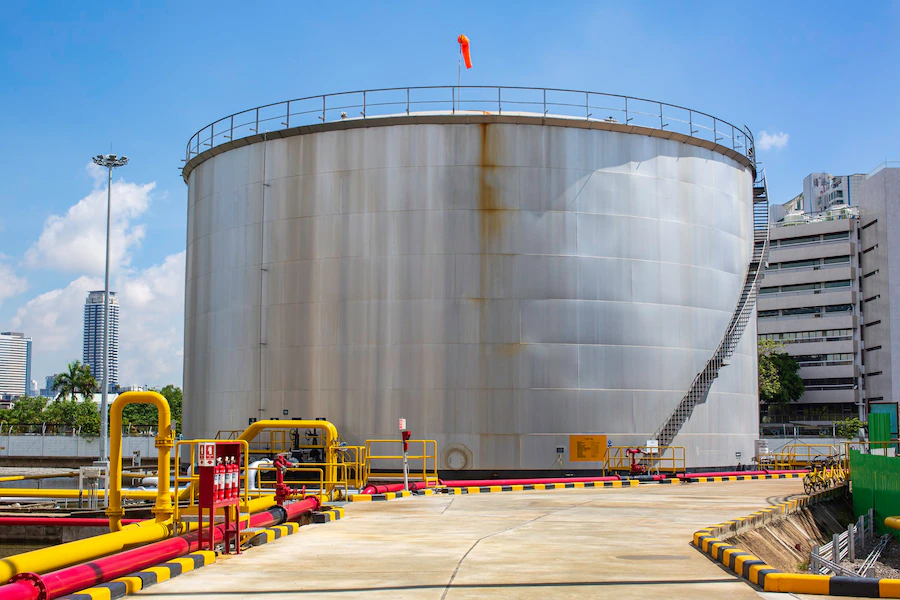
Just recently, there were only a few ways of measuring the levels of oil storage tanks, such as visual checks and by use of a dipstick. Nevertheless, these procedures were slow, inaccurate, and not in real-time. The era has changed with the advent of liquid-level transmitters to monitor oil storage tanks.
Oil storage tanks have been hugely impacted by the emergence of liquid-level transmitters. These devices present real-time data that is both accurate and dependable. Furthermore, it has become possible to remotely determine whether oil levels are appropriate as well as detect leakage points. They have increased efficiency in operations, minimized human errors, and enhanced safety at oil storage facilities.
Advise Measuring And Monitoring Solutions For Oil Storage Tanks
There are many considerations you need to make before deciding on which level sensor to use for your tank filled with petroleum fuel: accuracy, reliability, longevity, and conformance with industry standards. But let’s move on; how do you optimize them?
1.Ensure Correct Installation: However, when one wants to maximize the performance over these devices as well as increase the accuracy levels, it is good to strictly adhere to what the manufacturers say during installation.
2.Calibration and Maintenance: Regular calibration of the liquid level transmitter is done to ensure accuracy is maintained. Also, routine maintenance checks are carried out to ascertain that the device is functioning smoothly and prevent potential issues.
3.Monitoring System Integration: Integrate the liquid-level transmitter with a comprehensive monitoring system for real-time data monitoring, alarms, and alerts. This will enable proactive decision-making, prevention maintenance, and enhanced general efficiency.
4. Consider External Factors: While choosing a liquid-level transmitter, consider external factors like temperature, pressure, environmental conditions, and hazardous zone requirements. Ensure it can withstand and operate effectively within your oil storage facility’s specific conditions.
Solutions For Measuring And Monitoring Of Oil Storage Tank
Now, let us discuss three highly recommended liquid-level transmitters for measuring and monitoring solutions for oil storage tanks:
MPM489W Liquid Level Transmitter
The Microsensor MPM489W Level Transmitter is a highly advanced and adaptable instrument designed for several industrial applications. It has an integrated structure which means no further adjustments are needed, streamlining field service and automation control.
The transmitter has certifications for intrinsic safety type (Ex ia IIC T6 Ga) and explosion-proof type (Ex d IIC T6 Gb) to ensure safe operation in dangerous environments.
The MPM489W is a fully sealed submersible design that makes it durable and hence suitable for use in high strength stainless steel housing with liquids compatible with the same. It also ensures long-term sensor service given its tight seal between the cable and housing.
Additionally, it has a dedicated circuit together with a piezoresistive sensing element that is known for their stability and reliability thus contributing to product accuracy and repeatable performance.
The transmitter covers an extensive measurement range from 0mH2O to 200mH2O, with overpressure protection up to 2 times FS. Accuracy specifications are quite impressive as they range from ±1%FS at lower pressure values (0mH2O – 1mH2O) to ±0.25%FS at higher pressure values (10mH2O – 200 mH2O). Also, it meets the test standard of GB/T 17614.1-2015/IEC60770-1:2010, which reflects its commitment to quality.
The operating temperature range of the MPM489W allows it to be used in different environments: -10℃ to 60℃ (intrinsic safe type), -20℃ to 70℃ (cable material: PE, PVC) and –20℃ to 80℃ (cable material: PUR). It has a storage temperature range of -20℃ to 85℃, a vibration resistance rating of 10g(55Hz~2000Hz), and a shock resistance rating of 100g for an impulse duration of 11ms.
This MPM489W has an IP68 protection rating that ensures its resilience against dust and water ingress, making it suitable for use in challenging industrial environments. The thermal drift specifications are outstanding, with small values implying minimal influence on accuracy at different temperatures.
It also has various output signal options like 4mA20mA, 1V5V DC, 0V5V DC, 0V10V DC, which can be used in a wider range of control systems.
Read Also: The Evolution Of IT: Understanding The Role Of Managed Support In London
MPM426W Series Submersible Level Transmitters
The MPM426W series submersible level transmitters are designed to be versatile and reliable for various applications by incorporating a sturdy construction and extensive features. The transmitters come with a fully welded body that guarantees their endurance in severe working conditions, including those requiring high resistance to wear and tear, or even explosive zones.
They also consume less power, thus leading to energy saving while having a large temperature range of operation which enables them to adapt to different environmental conditions.
What makes these transmitters unique is their ability to measure levels in diverse categories of storage tanks such as processing oils like gasoline and diesel among other chemicals like methanol, ethanol, DEF, etc. This feature is complemented by integrated temperature measurement which makes them appropriate for situations where varying degrees of heat are important. In addition, there are multiple output signals and a magnetic end cap for movable tanks that make them much more flexible and user-friendly.
The MPM426W series accuracy floor is well pronounced going by the pressure types/ range which ranges from ±0.25%FS TO ±1%FS. They are fitted with IP68 rated protection making them resistant against water and dust hence they can be used as submersibles. Moreover, due to their approval for use in hazardous areas, it is clear that they prioritize safety.
In general, the MPM426W series is a reliable and versatile solution for level monitoring across industries as well as its precision, durability and adaptability in harsh operational environments.
Conclusion
So that’s all about the measurement and monitoring solution of the oil storage tank. Anything involving fluids or oils needs to be taken seriously. That is, in terms of safety, efficiency, and reliability.
All the transmitters we discussed above are key to enhancing these aspects. Even so, they work best when used in consideration of the tips discussed earlier.
Read Also:
Tags:

Recent
Memory Chips Are Becoming More Important in the AI Era
Aug 06, 2026

Why Enterprise Web Applications Still Choose Angular for Long-Term Growth
Aug 04, 2026

Due Diligence Decoded: Why Careful Evaluation Still Wins in Business
Jul 11, 2026

How Hydraulic System Design Impacts Equipment Performance
Jul 01, 2026

Related Articles

Tips On Choosing The Right Web Developers
Your website is an extension of your business — it communicates who your business is, what it does, and why it’s different from the competition. It needs to be logical and functional while being able to maintain the character and tone of your brand. You can achieve all of these things and more once you end up working with the right web developers. Web developers have the skills, experience, and tools to make and maintain high-quality websites. With the number of web developers offering services today, choosing one can be tough. This is especially true if you have never worked with a web developer in the past. If you want to avoid horror stories as you build your website, we’ve put together a list of things to consider when choosing the right web developers. Use this article as your guide, so you can narrow down your options fast and use the best website for your business. 7 Important Tips On Choosing The Right Web Developers 1. Assess Experience You won’t trust an inexperienced mechanic to repair or maintain your car, so why hire inexperienced web developers to take care of your website? Their experience can significantly impact the quality and duration of the project. Regardless if you’re eyeing to hire a freelance web developer or a web developing company, always ask for their portfolio. This enables you to assess how long they have been in the industry, what kind of projects they handled in the past, and how extensive their technical experience is in different tech cases. 2. Ensure They Offer a Variety of Services The process of developing a website is broad; it includes the discovery phase, UI/UX design, testing, maintenance, and support. Hiring a web developer who’s only experienced in one or two of these areas can be stressful and would cost you more money. The web developers you hire should offer a variety of services. They should have the skills and tools to make a website from scratch and maintain it after going live. This will save you resources from approaching different persons for different concerns about your website. 3. Check Reviews Many developers market themselves too well to the point where they make false promises. Before you hire anyone to make your website, take the time to check for reviews first. Use the experience of other people to determine whether you’re hiring the right web developers. Search the web developers online and check what their clients are commenting about them. Are they happy with their services and satisfied with the outcome of their project? Or were they frustrated as the web developers failed to meet their expectations? Seeing one or two negative comments isn’t a cause for concern because even the most experienced web developers can’t please everybody. However, if the web developer’s website is bombarded with negative comments and has few positive ones, it’s best to look for other options. 4. Ask About Their Processes Working with a team that doesn’t have an established process in place can lead to chaos. It’ll be challenging for you to determine what comes next or to whom you should address your concerns. Another thing to consider when choosing web developers is their process. Ideally, you should only hire a team that already has established processes — they should know what happens first once the project starts, what comes next, and so on. This will ensure a seamless and stress-free experience as you start working with them. 5. Consider Communication Communication is crucial in every relationship, and that includes the professional relationship you’ll have with the web developers. It’s important to work with web developers who prioritize communication. How else will you let them know what you want on your website? Besides offering various communication channels to their clients, the web developers should also share updates and other business-related concerns once available. This approach minimizes conflicts and ensures that the parties involved are on the same page every time. 6. Ask About the Cost When it comes to cost, you shouldn’t settle on working with the highest-paid web developers thinking you’ll get the best results or the cheapest ones in an attempt to save money. You should look for web developers who offer great value: those who provide high-quality service with a reasonable price tag. Aside from the price of their service, don’t forget to ask about their payment terms. Do they require a down payment before the start of the project? Do they accept cheques or cash only? Having answers to these questions will help you plan your budget. Make Careful Decisions The success of your website depends on the web developers you hire, so don’t make hatsful decisions. Take as much time as you need to compare options. The more careful you are, the better chances you’ll have in finding the best web developers ideal to your preferences! Find out the top 6 things to look out for when hiring a web developer, as well as how to make the most of working with a developer. Read Also: Why Create A Powerful Business Continuity Plan? What Is Network Marketing And How To Do It In 2021 How To Start A Business In 2021 – Best Business Strategies
Dec 17, 2022

The Role Of Digital Agencies In Transforming Car Dealerships
Car dealerships, long identified by sprawling lots, vibrant banners, and the quintessential 'sales pitch', are undergoing a seismic shift, thanks to the rapid evolution of digital technology. As consumers' shopping habits gravitate more towards online platforms, the automotive industry finds itself at a crossroads, demanding a profound digital transition. Here’s where digital agencies specializing in automotive digital marketing solutions step in. They bridge the gap between traditional sales techniques and the demands of the digital consumer. So, let’s get started with this comprehensive guide, which explains the importance of digital marketing in car dealerships. It has a bunch of necessary insights for you, so keep reading. Digital Agency's Toolbox for Dealerships Whether you know it or not, most digital marketing agencies promote car dealerships among national and international clients. But which agency is the best for you? How do you discover that? Here are a few toolboxes that must be present at any digital firm for car dealerships: Building Robust Online Platforms: Gone are the days when a customer’s first interaction with a dealership was in-person. Today, a potential buyer starts their journey online. Digital agencies assist dealerships in creating user-friendly websites, offering detailed vehicle information, virtual showrooms, and even online purchasing gateways. Hence, the first thing you want to look at is the kind of platforms the agency is active on. There are millions out there that can and should be optimized for the best automotive deals. Why not make use of them? Creating robust online channels is the stepping stone for any digital firm. Data-Driven Personalization: Automotive digital marketing solutions revolve around leveraging data analytics. By understanding customer preferences, past behaviors, and browsing patterns, dealerships can offer tailored deals and promotions that resonate with individual consumers. Digital agencies utilize advanced Customer Relationship Management (CRM) systems to help dealerships craft these personalized marketing strategies. Fluff is something produced easily, but catching it is a big challenge. Therefore, search for companies that believe in data-driven personalization for your car dealership brand. Empowering the Shift to Electric: As dealerships expand their inventories to accommodate the rising demand for electric and hybrid vehicles, digital agencies play a pivotal role in marketing these vehicles to the eco-conscious buyer. They employ specialized campaigns highlighting the benefits of electric mobility, ensuring dealerships don’t just stock these vehicles but sell them effectively. Inspect what technological solutions the agency seeks. Do they use campaigns like PPC, SEO, and social media marketing to boost your car dealership strategy? If yes, then you can surely opt for them and, in fact, get more ideas on how to keep the process going. Elevating Customer Experience: Today’s consumer expects a seamless experience, both online and offline. Digital agencies help car dealerships integrate advanced tools, like video chat solutions, ensuring customers can engage with salespeople from the comfort of their homes. These tools not only offer convenience but help establish a trusted relationship between the buyer and the dealership. When the consumer experience is good, people will automatically want to be a part of your dealership plan. That’s how it works! Subscription & Mobility Solutions: Modern consumers are exploring alternatives to traditional car ownership. Recognizing this trend, digital agencies assist dealerships in setting up subscription or car-sharing platforms, appealing to a segment of the market that values flexibility over long-term commitment. If the digital company is already providing flexible solutions, there’s nothing to worry about. But what if they don’t? In such cases, make sure to communicate your needs well. When you partner alongside a different agency altogether, it is necessary to talk well and align both your plans strategically. Online Reputation Management: In an age where online reviews can make or break sales, maintaining a positive digital reputation is paramount. Digital agencies offer tools and strategies to help dealerships engage with customers, address concerns, and ensure a consistent flow of positive feedback. Use digital tools to maintain your car dealership brand’s online reputation. This can largely help you to reach an effective clientele and diminish the risks of potential damages. Strategic and Creative Thinking: One of the foremost things any digital agency should be well-equipped with is the ability to think creatively. There must be a plan of targeting clients in the best way possible because you don’t just want to target them but also convert them. Both creative and strategic thinking give a clear idea of opportunities and challenges the industry might be facing. Hence, opt for an agency that can think beyond the usual world and boost your car dealership business. Additionally, check out their portfolio and how they have managed clients in the past. Challenges and Solutions While the digital transformation journey promises immense opportunities, it's not devoid of challenges. Dealership staff, accustomed to traditional sales methods, might exhibit resistance to new digital tools. Digital agencies play a role in training and familiarizing these staff members, ensuring a smooth transition. Another significant concern is data security. With the escalating threats of cybercrimes, safeguarding customer data becomes imperative. Digital agencies equipped with expertise in cybersecurity can provide dealerships with solutions to protect sensitive information. Lastly, the financial and skill-based investment required for digital transformation can be daunting. However, with the right digital agency partnership, dealerships can optimize costs, leveraging the agency's expertise to deploy efficient automotive digital marketing solutions without the need to build in-house teams from scratch. Conclusion The car dealership landscape is undeniably changing, and the road ahead is digital. As dealerships navigate this new terrain, partnering with specialized digital agencies can offer them the tools, strategies, and expertise to not only adapt but thrive. In the age of online shopping, reviews, and instant gratification, it's these digital partnerships that will define the dealerships of the future. And it’s a wrap on this article. The car dealership is an emerging realm of the profession, and so is digital marketing. The amalgamation of both should have enormous benefits for you. Thank you for reading till the end. If you loved the article and have anything to share, comment below! Read Also: 6 Tips For Doing The Car Shipping To Georgia Process Right
Oct 31, 2023

Does More Censorship Guarantee For A Safer Internet Connection?
The Internet is a wonderful invention. It brings people together and enables them to freely express themselves, exchange knowledge and concepts, and make connections with others who share their interests. However, as the web becomes more widely used, so grows the issue of cyberbullying, which in certain circumstances, can result in sadness and suicide. So how do we make the world a safer place? This Is The Age Of Information Why censorship? More information is a double-edged sword. We have more knowledge than ever, yet if utilized maliciously or poorly, it can bring difficulties. Censorship may make the internet safer for everyone except you and your friends' music and movie interests (or whatever else). But let me explain to you how censorship could affect users in the long run by building an online culture based on self-censorship rather than freedom of speech and expression, which could lead us to tyranny where everyone is under continual government monitoring! Home For Everyone, Yet With Consequences Everyone can be themselves online. You can discuss any topic here. You can share art, tales, images, music videos, and movies. Internet entertainment is infinite! If we want to avoid censorship, we must also consider the ramifications of posting contentious or objectionable content online (or even just perceived as such). "That was unacceptable!" someone may comment when someone writes something contentious online. "But why do they say such things?" asks another. They're mean!" Then another group weighs in on what authorities should do to keep this stuff on their website/social media platform/etc. We Cannot Make A Perfect World A terrific place to be is online. But it can also be utilized for good or harm, just like any other technology. To ensure that the Internet is secure and accessible to everyone, it is crucial that we all work together. We cannot create a perfect society, but there are certain things you can do if you want your children or grandkids to grow up in one where there is less censorship and more acceptance of other people's perspectives and beliefs: Don't let the government decide how much freedom people should have online; use your own judgment when selecting what material is suitable for your kids, grandchildren, or yourself on social media platforms like Facebook or Twitter! These social channels have more benefits than disadvantages. Avoid visiting specific websites at all costs if they contain offensive content, such as pornography. Some ISPs may block these websites, but users can still access them using proxies to access third-party websites rather than their ISP's servers directly (which would require higher fees). So, How Do We Make Our World Safer? We must exercise more patience. We must show more deference. We need to be more welcoming than we are now with many ideas, opinions, and beliefs. If there is one thing that we can all agree on, it is that censorship won't make any of us safer or better off; rather, it will just be another reason why we don't have an honest conversation about difficult topics like racism or sexism (or any other issue). So instead of suppressing stuff online where individuals may have various points of view than yours (which could take them down a bad path), why not try listening instead? Listen more than you speak! Listen more than your buddies talk... We cannot construct a perfect world, but we can make the world we live in more tolerant, courteous to each other, and welcoming. And that's what we should do. If you really want to censor content that your state has banned for you, then you have some solution. Buy a VPN service online and open the VPN Console window. Now choose your location. Once you have stable connections, you can watch any restricted website your government has banned for the public or access international websites that are banned in your state. As you can see, there are various methods to make the world a better place. One of them is through being tolerant and accepting of each other's differences. We must comprehend that we are all distinct people with varied histories, ideas, and traditions. This is why it's so vital that we treat each other with respect and tolerance rather than judgmentalism or prejudice against those who vary from us in some way or another. We need to remember that no matter how much time we spend online or at work interacting with people around us (or even just typing on our computers), none of these interactions will ever be perfect; there will always be misunderstandings between individuals who live in different parts of the world than you do! Conclusion Censorship is a hot topic these days. Can we avoid censorship? How do we communicate our ideas? What if we wish to delete content forever? Read Also: What Are The Safest Browsers For 2022 6 Tips For Growing Your Small Business And Boosting Your Bottom Line Understanding How VPS Hosting Can Help You Grow Your Online Business
Feb 15, 2023

What Is LeadSquared? Features, Pricing, Pros, And Cons
LeadSquared is a popular customer acquisition platform that encompasses both the features that are available in CRMs and Marketing Automation software. Once you implement it, with the help of this platform, you will be able to integrate the sales and marketing teams in the same place. With the help of this software, your business can be able to capture leads, nurture them, and perform processes related to lead management, sales management, marketing analytics, etc. In this article, you will come across a general review of the platform named LeadSquared. Apart from that, you will also learn why this software platform can be a great addition to your business. In addition to that, we will also include what are the major features that this software platform brings to the table and how it can benefit your business. Finally, we will discuss the major pros and cons of the software. Hence, to learn comprehensively about the software read on through to the end of the article. LeadSquared – A General Review Of The Software LeadSquared is a platform that brings you a variety of software services that include Sales CRM, Marketing Automation, Mobile CRM, Customer Portal, Performance Management, API, and more. However, for this article, the focus will be only on Sales CRM and Marketing Automa According to LeadSquared, “There are multiple sales journeys, involving different channels, processes, teams, and touchpoints. LeadSquared connects them all – processes, distributed teams, and touchpoints – to give you one complete end-to-end sales execution platform – for your digital teams, call center agents, feet-on-street teams (sales, partner onboarding, service), and operations.” LeadSquared Unicorn claims to simplify the processes so that the team focuses on the next task and thinks of enhancing their efficiency to make more sales. The same is true for the marketing automation software services that LeadSquared offers. Here, you will be able to track all the actions of your prospects and all the conversation they delve into with your team. One of the best things about LeadSquared is that it offers a useful and simple CRM that is quickly becoming one of the favorite marketing and sales tools for businesses throughout the world. The CRM also includes many features and is built in such a way as to handle a lot of users, activities, and leads at the same time. It is one of the best choices for startups and small businesses which are on the verge of growth. Read More: CRM software Monday: Features, Price, Pros & Cons of Monday Sales CRM LeadSquared - Pricing The pricing of LeadSquared makes it one of the best choices for small and medium-sized businesses as well as startups. Sales CRM + Mobile CRM Plans: PlansPricingLITE$25 per user/month (annual billing)PRO$50 per user/month (annual billing)SUPER$100 per user/month (annual billing) Marketing Automation Plans: PlansPricingESSENTIAL$150 per month (annual billing)BASIC$400 per month (annual billing)STANDARD$1200 per month (annual billing)ENTERPRISE$2500 per month (annual billing) Why LeadSquared Is A Great Software For Your Business? One of the best things about LeadSquared is that it offers businesses a simple CRM and software service for a better experience and fast work processes. According to a review by GetApp.com, “LeadSquared also comes with powerful integrations with other business tools to ensure a seamless experience. Recently, they have also built a developer platform, where you can design and write custom code which can be used to build custom business logic.” LeadSquared is a cloud-based platform and can run with the most common operating systems, no matter which device you are using at the moment. Whether you are looking for lead management, marketing automation, and sales acceleration, LeadSquared can help you in all these regards. The software lets you capture leads from most of the sources that help in lead generation. Furthermore, with the landing page builder of the software, one can create and customize landing pages. You can also choose from a wide variety of templates. Some Of The Major Features Of LeadSquared That Can Help Your Business The following are some of the most important features that the LeadSquared software platform offers you once you do a LeadSquared login: 1. Automation Of Lead Capture And Management Processes The software offers mobile responsive landing pages that help the organization increase traffic. Apart from that, you can use various website widgets that can help you to generate more leads. With a variety of inbuilt features, capturing leads will become seamless for you. 2. Marketing Automation Of Marketing Processes With the help of drip marketing, you will be able to engage and sell more. Furthermore, there are also options for you to segment your lists of contacts based on lead scores, lead nurturing, location, behavior, and more. The software also lets you share personalized content with your leads and customers through the use of messaging and email. 3. Accelerating And Boosting Sales According to the official website of LeadSquared, you can “Capture leads from all your channels automatically, manage them intelligently, transfer them to the right teams (and people). Ensure zero lead leakage and zero missed opportunities.” The lead scoring feature also lets you identify your prospects faster. Furthermore, there are behavioral insights related to each prospect as well. Essential Pros And Cons Of LeadSquared The following are the major pros and cons of the LeadSquared software platform: Pros Here are the pros of LeadSquared: Protection of sensitive data No lead leakage Better engagement of leads Clear views and record of the activity history Full record and performance of sales and marketing Cons Here are the cons of LeadSquared: Lack of stability in the portal Unnecessary delays sometimes Slow response from the customer service Read More: Less Annoying CRM – Pricing, Features, Pros And Cons, And More Summing Up Hope this article was helpful for you in getting a better idea of the LeadSquared Sales CRM and Marketing Automation software. If you think the features that this software offers are exactly what you need, then you must consider purchasing the software. Apart from that, you must also check the pricing and find out which one suits the best for you and your organization. Do you think that LeadSquared can make a difference in your business with its features? Share your reviews with us in the comments section below. Read Also: SmartCoin: Information, Eligibility Criteria, Interest Rates, Review & More LoanTap: Information, Eligibility Criteria, Interest Rates, Review & More Navi: Information, Eligibility Criteria, Interest Rates, Review & More
Jun 09, 2023