





Tips On Choosing The Right Web Developers

Your website is an extension of your business — it communicates who your business is, what it does, and why it’s different from the competition. It needs to be logical and functional while being able to maintain the character and tone of your brand. You can achieve all of these things and more once you end up working with the right web developers.
Web developers have the skills, experience, and tools to make and maintain high-quality websites. With the number of web developers offering services today, choosing one can be tough. This is especially true if you have never worked with a web developer in the past.
If you want to avoid horror stories as you build your website, we’ve put together a list of things to consider when choosing the right web developers. Use this article as your guide, so you can narrow down your options fast and use the best website for your business.
7 Important Tips On Choosing The Right Web Developers
1. Assess Experience
You won’t trust an inexperienced mechanic to repair or maintain your car, so why hire inexperienced web developers to take care of your website? Their experience can significantly impact the quality and duration of the project.
Regardless if you’re eyeing to hire a freelance web developer or a web developing company, always ask for their portfolio. This enables you to assess how long they have been in the industry, what kind of projects they handled in the past, and how extensive their technical experience is in different tech cases.
2. Ensure They Offer a Variety of Services

The process of developing a website is broad; it includes the discovery phase, UI/UX design, testing, maintenance, and support. Hiring a web developer who’s only experienced in one or two of these areas can be stressful and would cost you more money.
The web developers you hire should offer a variety of services. They should have the skills and tools to make a website from scratch and maintain it after going live. This will save you resources from approaching different persons for different concerns about your website.
3. Check Reviews

Many developers market themselves too well to the point where they make false promises. Before you hire anyone to make your website, take the time to check for reviews first. Use the experience of other people to determine whether you’re hiring the right web developers.
Search the web developers online and check what their clients are commenting about them. Are they happy with their services and satisfied with the outcome of their project? Or were they frustrated as the web developers failed to meet their expectations?
Seeing one or two negative comments isn’t a cause for concern because even the most experienced web developers can’t please everybody.
However, if the web developer’s website is bombarded with negative comments and has few positive ones, it’s best to look for other options.
4. Ask About Their Processes

Working with a team that doesn’t have an established process in place can lead to chaos. It’ll be challenging for you to determine what comes next or to whom you should address your concerns.
Another thing to consider when choosing web developers is their process. Ideally, you should only hire a team that already has established processes — they should know what happens first once the project starts, what comes next, and so on. This will ensure a seamless and stress-free experience as you start working with them.
5. Consider Communication
Communication is crucial in every relationship, and that includes the professional relationship you’ll have with the web developers. It’s important to work with web developers who prioritize communication. How else will you let them know what you want on your website?
Besides offering various communication channels to their clients, the web developers should also share updates and other business-related concerns once available.
This approach minimizes conflicts and ensures that the parties involved are on the same page every time.
6. Ask About the Cost
When it comes to cost, you shouldn’t settle on working with the highest-paid web developers thinking you’ll get the best results or the cheapest ones in an attempt to save money.
You should look for web developers who offer great value: those who provide high-quality service with a reasonable price tag.
Aside from the price of their service, don’t forget to ask about their payment terms. Do they require a down payment before the start of the project? Do they accept cheques or cash only? Having answers to these questions will help you plan your budget.
Make Careful Decisions
The success of your website depends on the web developers you hire, so don’t make hatsful decisions. Take as much time as you need to compare options. The more careful you are, the better chances you’ll have in finding the best web developers ideal to your preferences!
Find out the top 6 things to look out for when hiring a web developer, as well as how to make the most of working with a developer.
Read Also:
Tags:

Recent
Dinmukhamet Idrisov and a Gold-Mine Dispute From Kazakhstan’s Oligarchic Past
Oct 16, 2026

Memory Chips Are Becoming More Important in the AI Era
Aug 06, 2026

Why Enterprise Web Applications Still Choose Angular for Long-Term Growth
Aug 04, 2026

Due Diligence Decoded: Why Careful Evaluation Still Wins in Business
Jul 11, 2026

Related Articles

Real Estate Mobile App Development: Detailed Manual
Real estate mobile applications have experienced a tremendous surge in popularity in the past few years, owing to the ever-expanding estate sector. Real estate apps provide a bunch of features, such as property listings, virtual tours, mortgage calculators, and property management tools. These real estate mobile app development features make it easier for customers, salesmen, and representatives to interact and manage real estate transactions more efficiently. Real estate apps offer a level of convenience, accessibility, and online data to users. Buyers can investigate properties and view detailed information, images, and videos, as well as schedule virtual tours and connect with agents. Sellers can list the properties and connect with potential buyers straight through the property app. Agents can manage their listings, connect with clients, and track leads and sales with the assistance of the application. The development of such apps is highly lucrative, offering businesses a valuable opportunity to reach a broader audience, improve efficiency, and enhance customer satisfaction. In this article, we will delve into the topic of mobile app development for real estate industry. Сategories Of Real Property Apps You Should Know About The real estate mobile app development offers a large number of features that simplify real estate transactions for clients, salesmen, and representatives alike. With access to detailed property listings, virtual tours, mortgage calculators, and management tools, users can conveniently search for properties, view multimedia content, and connect with agents in real-time. For sellers, these apps allow them to list their properties and connect with potential buyers directly. Additionally, real estate agents take advantage of these apps to manage their listings, track leads and sales, and converse with customers. As a result, real property app development became an excellent way for businesses to expand their reach, enhance their efficiency, and improve customer satisfaction. Property Search Apps Property apps are accessible in various types, each with a unique purpose. One type is property search apps, which allow users to investigate properties by location, price range, and property type. Zillow and Airbnb are examples of property search apps that offer a comprehensive database of properties for sale and rent, providing users with precise data such as pictures, videos, and virtual excursions. Mortgage Calculator Apps Another type is mortgage calculator apps, which assist users in calculating the cost of a mortgage, which is based on various factors, such as the down payment, interest rate, and loan term. Mortgage Calculator by Quicken Loans is an example of a mortgage calculator app that enables users to calculate their monthly mortgage payments and see how different variables impact the overall cost of the loan. In addition, property management real estate mobile app development is widely used in the real property sector. These apps enable landlords and property managers to manage their properties, tenants, and leases using their mobile devices. Rent Manager is an example of a property management app that offers features like lease tracking, maintenance requests, and payment processing. Virtual Tour Apps Virtual tour apps are another type of real estate mobile app development that enables users to take a virtual excursion of a property, excluding the actual visit of it. These apps utilize virtual reality technology to provide a realistic and immersive experience of the property. Matterport is an example of a virtual tour app that creates 3D models of properties and allows users to navigate through them as if they were physically there. Real estate apps offer a variety of features that streamline real estate transactions, from searching for properties to managing them. With the appropriate real estate app, customers, salesmen, and representatives agents can improve their efficiency and effectiveness in the estate sector. Key Aspects Of Real Estate Mobile App To stand out in the crowded app market, it's crucial to have the following must-have features in a real property application: Property Search The property search feature provides users with the capability to explore listings based on their preferred location, type of property, and budget. This powerful tool gives users the ability to effortlessly and quickly find their ideal home by pinpointing properties within their desired price range. Virtual Tours The virtual property tour feature enables potential buyers to experience a 360-degree view of the property without the need for physical presence. This immersive experience allows users to gain a comprehensive understanding of the property. As a result, it saves clients and agents time while providing a more extensive experience to prospective buyers. Mortgage Calculator This feature helps buyers estimate the cost of a mortgage based on different variables such as the down payment, interest rate, and loan term. It also helps buyers make informed decisions before making an offer on a property. Push Notifications Push notifications to keep users informed of new property listings, price drops, and other important updates. They help users keep abreast with the latest information. Secure Payment System A secure and easy-to-use real estate mobile app development payment system is necessary for processing rental payments, security deposits, and other financial transactions related to real estate. This feature ensures the safety and convenience of both clients and salespeople. By incorporating such capabilities within a real estate mobile application, businesses can enhance user engagement, elevate customer satisfaction, and boost sales in the fiercely competitive real estate market. Real Estate Mobile App Development: What are the Costs Involved App Design A well-designed user interface and user experience are crucial to the success of a real estate mobile app. The more user-friendly and visually appealing the app, the higher the cost. Features And Functionality The cost of developing a real estate mobile app depends on the various features and functionality you want to include. For example, advanced features such as virtual tours, mortgage calculators, and property management tools can increase the cost. Platform The cost of real estate mobile app development varies based on the platform you want to build it on. Building an app for both iOS and Android will cost more than building one platform. Development Team The cost of hiring a real estate mobile app development team is a significant factor in the total cost of developing a real estate mobile app. The more experienced the team, the higher the cost. Maintenance And Updates Once it is developed, you need to maintain and update it regularly to keep it relevant and competitive. The cost of maintenance and updates can vary based on the complexity of the app and the frequency of updates. Conclusion The success of a real estate app relies on its ability to deliver a seamless user experience and provide unique features. A user-friendly interface, personalization, advanced features, and effective marketing strategies can help achieve these goals. Additionally, it is crucial to regularly update and maintain the real estate mobile app development steps to ensure it meets users' changing needs and stays up-to-date with the latest technology. Gathering feedback from users and incorporating their suggestions can also help improve the app's success. Finally, building trust with users by ensuring the security and privacy of their data is crucial to the success of a real estate app. Businesses should prioritize data protection and transparency in their practices to gain users' trust and loyalty. Read Also: How To Get Personal Loan On Bajaj Markets Best Practices For Mobile Data Collection: Tips And Tricks How Sustainability Sets Up Real Estate Developers For Success
Mar 28, 2023

Does More Censorship Guarantee For A Safer Internet Connection?
The Internet is a wonderful invention. It brings people together and enables them to freely express themselves, exchange knowledge and concepts, and make connections with others who share their interests. However, as the web becomes more widely used, so grows the issue of cyberbullying, which in certain circumstances, can result in sadness and suicide. So how do we make the world a safer place? This Is The Age Of Information Why censorship? More information is a double-edged sword. We have more knowledge than ever, yet if utilized maliciously or poorly, it can bring difficulties. Censorship may make the internet safer for everyone except you and your friends' music and movie interests (or whatever else). But let me explain to you how censorship could affect users in the long run by building an online culture based on self-censorship rather than freedom of speech and expression, which could lead us to tyranny where everyone is under continual government monitoring! Home For Everyone, Yet With Consequences Everyone can be themselves online. You can discuss any topic here. You can share art, tales, images, music videos, and movies. Internet entertainment is infinite! If we want to avoid censorship, we must also consider the ramifications of posting contentious or objectionable content online (or even just perceived as such). "That was unacceptable!" someone may comment when someone writes something contentious online. "But why do they say such things?" asks another. They're mean!" Then another group weighs in on what authorities should do to keep this stuff on their website/social media platform/etc. We Cannot Make A Perfect World A terrific place to be is online. But it can also be utilized for good or harm, just like any other technology. To ensure that the Internet is secure and accessible to everyone, it is crucial that we all work together. We cannot create a perfect society, but there are certain things you can do if you want your children or grandkids to grow up in one where there is less censorship and more acceptance of other people's perspectives and beliefs: Don't let the government decide how much freedom people should have online; use your own judgment when selecting what material is suitable for your kids, grandchildren, or yourself on social media platforms like Facebook or Twitter! These social channels have more benefits than disadvantages. Avoid visiting specific websites at all costs if they contain offensive content, such as pornography. Some ISPs may block these websites, but users can still access them using proxies to access third-party websites rather than their ISP's servers directly (which would require higher fees). So, How Do We Make Our World Safer? We must exercise more patience. We must show more deference. We need to be more welcoming than we are now with many ideas, opinions, and beliefs. If there is one thing that we can all agree on, it is that censorship won't make any of us safer or better off; rather, it will just be another reason why we don't have an honest conversation about difficult topics like racism or sexism (or any other issue). So instead of suppressing stuff online where individuals may have various points of view than yours (which could take them down a bad path), why not try listening instead? Listen more than you speak! Listen more than your buddies talk... We cannot construct a perfect world, but we can make the world we live in more tolerant, courteous to each other, and welcoming. And that's what we should do. If you really want to censor content that your state has banned for you, then you have some solution. Buy a VPN service online and open the VPN Console window. Now choose your location. Once you have stable connections, you can watch any restricted website your government has banned for the public or access international websites that are banned in your state. As you can see, there are various methods to make the world a better place. One of them is through being tolerant and accepting of each other's differences. We must comprehend that we are all distinct people with varied histories, ideas, and traditions. This is why it's so vital that we treat each other with respect and tolerance rather than judgmentalism or prejudice against those who vary from us in some way or another. We need to remember that no matter how much time we spend online or at work interacting with people around us (or even just typing on our computers), none of these interactions will ever be perfect; there will always be misunderstandings between individuals who live in different parts of the world than you do! Conclusion Censorship is a hot topic these days. Can we avoid censorship? How do we communicate our ideas? What if we wish to delete content forever? Read Also: What Are The Safest Browsers For 2022 6 Tips For Growing Your Small Business And Boosting Your Bottom Line Understanding How VPS Hosting Can Help You Grow Your Online Business
Feb 15, 2023
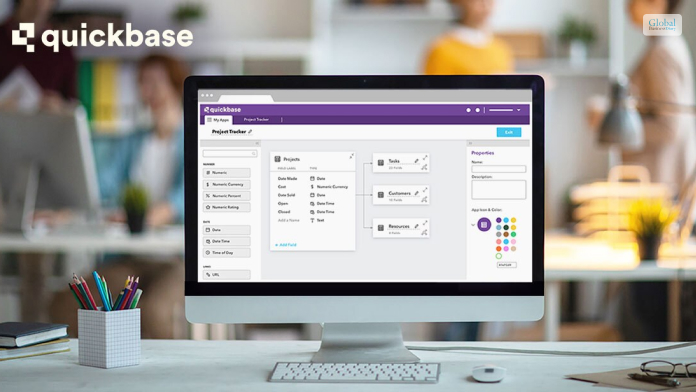
What Is QuickBase? A Low-Code Database Platform For Citizen Developers
QuickBase is a great software platform that allows you to streamline the work related to business management, lead management, and resource management for better work processes. This software platform is a no-code platform where you can empower your business teams to create, modify, and customize applications despite not having major programming skills. In this article, you will learn some basic details about QuickBase, which you need to be aware of if you try to purchase the software for your business. In addition to the pricing of the software, you will also learn about the major features of the software platform, which you can find after your QuickBase Login. Hence, you shall find out whether this software is a good option for your business or not. Finally, we will discuss some of the major pros and cons of the software. Hence, to learn more about the software, read on through to the end of the article. QuickBase – What Is It All About? In the year 2022, Inc. Magazine named QuickBase as the Best in Business SaaS software. This tells you that the company has made a positive impact on society, the environment, communities, and industries. You will have better access to better information. Furthermore, automated workflows and access through permissions can help in enhancing security. According to the official website of QuickBase, “A big focus at QuickBase is how to create better connections. Between your people, among your systems and data, with partners and collaborators. And that connection can – and should – go even further when you are truly effective.” Basically, QuickBase allows you to get all aspects of your business operations in one place. This acts as a centralized system that everyone can access. On the other hand, you will also have a better idea of what is happening at every stage of the business organization. Once you start using QuickBase, there shall be less risk for your organization, and you will be able to reduce the amount of waste that your organization generates. This, in turn, can help you to cut down your costs, as you can connect the existing systems of your business with the key contributors. Read More: Zoho CRM – Best Features, Pricing, Pros, Cons, And Alternatives QuickBase Pricing Provided the types of functions that QuickBase offers for businesses, the price looks quite affordable. Furthermore, once you try to purchase the basic version of the app, you will be able to use the app for a period of thirty days as a trial, where you will get all the features available at higher levels. Here are the pricing levels of QuickBase: PlansPricingTeam$35 per user per month (annual billing) for a minimum of 20 usersBusiness$55 per user per month (annual billing) for a minimum of 40 usersEnterprise- Fully customizable software- Price as per the types of services availed.- For the whole enterprise and interconnected use cases. QuickBase – What Are The Major Features That It Offers? QuickBase helps you streamline the processes of the organization, and your teams can also improve their complex business application. Furthermore, here, you will not need to worry about the cost of traditional development, maintenance, and deployment of resources. Here are the major features: Project management Portfolio management Resource management Budget and Finance Contract management Work-order management Subcontractor management Reports and Analytics, and many more. Why Can QuickBase Be A Good Option For Your Business? As per the claims of QuickBase’s official website, “QuickBase helps your team mitigate risk, reduce waste, and cut down on unexpected costs by connecting your existing systems with key contributors. With automated workflows and granular permissions, the right people will have access to the right information every time.” Apart from that, there is also QuickBase Training which you can avail of to become an expert with the software. Once you start using the software at all levels for the business, it will help in simplifying the processes. It also comes with a variety of options for integrations as well, as you can connect with all the QuickBase software systems, as well as third-party systems. Essential Pros And Cons Of QuickBase Like every other software platform, QuickBase also comes with its own set of pros and cons that are essential for you to know. The following are the major pros and cons that you will need to know about QuickBase: Pros Of QuickBase Here are the major pros of QuickBase, which shall surely benefit your business processes: The platform has very proactive and outgoing product support. There is a large user community forum, which is brisk. Here, you will be able to learn a lot about the software and clear your doubts as well. There are many customization options that allow you to personalize the software based on the needs and demands of the business. The reporting and analytic functions are plenty, and they are powerful as well. Such features can help you to make data-driven decisions for your organizations. There are plenty of integration possibilities with third-party applications as well. There are a variety of permission levels that can enable you to maintain better control of your business. Cons Of QuickBase The following are some of the cons of QuickBase which you need to be aware of if you are thinking about making a purchase: The software has many features and can get complicated in certain cases. Hence, there is a steep learning curve at the start. The mobile app is not so great and lacks functionalities and features. The budget and financial management tools are limited. There are some problems with the tables, as retrieving data can be difficult. If you want a summary of configuration information, it is not possible. Creating dynamic forms is complicated. Read More: Freshworks – Best Features, Pricing, Pros, And Cons: Let’s Discuss Summing Up Hope this article was helpful for you to find out whether QuickBase is a good option for your business or not. We think it is. If yours is a small business, this is great software to manage your business processes easily. What are your own reviews about the software? Share with us in the comments section below. Read Also: Leadfeeder 2023 Costs, Specifications, Evaluations, And Alternatives Creatio CRM – Review, Major Features, Pros & Cons, And More What Is Salesforce Sales Cloud? – Let’s Find Out In Details
Jul 18, 2023

What Is Infusionsoft By Keap? – Let’s Discuss The Best Features, Alternatives, And More
Infusionsoft CRM is a customer relationship management software. It is now known as Keap. The software system is best suited for small business owners and startups. It is not an advanced CRM and hence is for someone that is new to the category. The software platform allows you to combine sales and marketing automation processes, which can be quite useful for new eCommerce businesses. The first part of this article consists of a general review of Keap, and secondly, we will show you the plans and pricing of the software platform. Next up, we will look at the major features of Keap, and you will understand whether Keap is a good all-in-one solution for your business or not. Finally, we will discuss the major pros and cons of Keap, followed by some Keap (Infusionsoft) alternatives. Keap (Infusionsoft) - A General Overview Once you do an Infusionsoft Login (or Keap Login), you will come across a lot of features, and you will find amazing customization options. This shall help you personalize the software as per the needs of your business. It can streamline your lead management and sales processes really well. According to Business News Daily, “The platform’s easy automations save customers a reported 10 hours per week by eliminating manual tasks such as sending texts and email follow-ups and recording new leads immediately after they complete a form on your landing page or social media account.” Another useful thing about Keap is that setting up this CRM is easy and fast. Furthermore, there are drag-and-drop sales pipeline builders. which makes things easy for you. Thereby, you have a better chance of getting organized, and you shall have a clear picture of the best business opportunities near you. Infusionsoft Pricing - Major Subscription Plans In Keap One of the best things that we have seen about Keap is that it has contact-based pricing. There are three different pricing levels of Keap. These are explained below: PlansPricingPro$159 per month (annual billing) for 1500 contactsMax$229 per month (annual billing) for 2500 contactsMax ClassicCustom pricing (for the need related to advanced marketing and sales) Apart from these, you will also get a free trial for 14 days, where you can try out the software and check the major features that are useful for your business. This will help you to get a better idea of what the software system is all about and how it can help your business. What Are The Major Features Of Keap? According to the claims of Keap on its official website, you can: “Capture leads automatically with customizable forms that you can embed on your website and our custom landing pages. Use targeted and personalized email nurtures with automated triggers for more effective results.” The following are some of the major features of Keap: Infusionsoft Email Marketing Easy automation of repetitive tasks Scoring leads to the prioritization of opportunities Built-in invoicing and payment processes Easy integration with many popular software applications Really efficient and featured contact management Automated marketing campaigns Why Keap Is A Good Solution For Your Business? As per the reviews on DreamGrow.com, “Keaps’s sales and marketing automations make it so you don’t have to manually follow up with every lead, keep track of everything in docs, copy paste emails, or play the guessing game. It’s all done for you and grows your business 24/7 while you focus on other things.” This software can be a great option for you if you are looking for marketing automation. Furthermore, Keap also offers you a lot of integration options that can help you enhance your productivity better. The all-in-one software can help you a lot if you deal with a variety of stuff, as happens in eCommerce businesses. Keap (Infusionsoft) Pros And Cons The following are the major pros and cons of Keap that you need to go through so that you get a better idea of what to expect when you make a purchase: Pros Of Keap (Infusionsoft): Here are major pros of Keap that are sure to benefit your business: It comes with both sales and marketing automation features. You will get access to the customer success manager on every pricing level. Furthermore, with the help of the Keap app, you can chat 24x7. There is phone support available as well. The collection and scoring of leads are automatic, which, in turn, helps in ensuring an efficient sales process. Easy segmentation of customers. It lets you combine CRM with email marketing processes. You will get to customize your dashboards as per your needs. There are autoresponders present in the software as well. Cons Of Keap (Infusionsoft): Here are a few cons of Keap that you need to be aware of so that you know what to expect out of the software platform: Often, integration with another software will require a monthly fee. The data migration process, which is available for free, is limited to your contacts, ten items, and one landing page. The pricing is based on the contacts. This means that the base pricing that you pay monthly grows with your contact. Some of the reporting features need updates A limited number of templates Limited search options for the user. Major Alternatives Of Keap (Infusionsoft) The following are the top alternatives of Keap that you can find easily: 1. Salesforce Sales Cloud 2. Constant CRM 3. HubSpot Sales Hub 4. Active Campaign 5. Zoho CRM Wrapping Up Hope this article was helpful for you in getting a better idea of Infusionsoft by Keap. You can see that this software is quite useful for startups and small businesses. If your business is eCommerce, and you are searching for an all-in-one solution, then Keap is a great option for you to choose for your daily business processes. Although there are some good alternatives for Keap, when it comes to integration with other software systems, it is really good. What are your own reviews regarding this software platform? Share your thoughts with us in the comments section below. Read More: What Is QuickBase? A Low-Code Database Platform For Citizen Developers Pipedrive Review 2023: Features, Pros & Cons, And Alternatives Creatio CRM – Review, Major Features, Pros & Cons, And More
Jul 20, 2023