





How To Merge Videos In Windows 10?
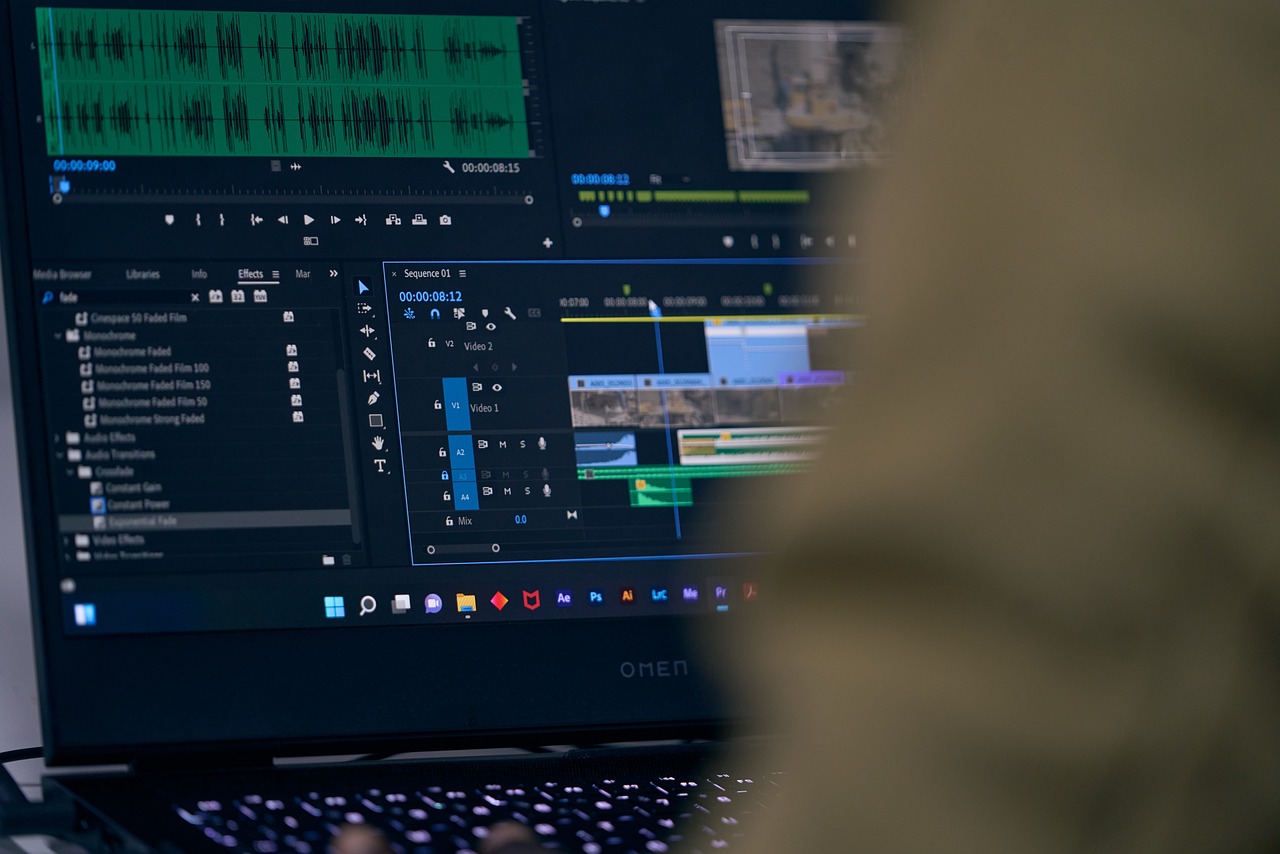
The modern-day content industry relies heavily on video content. To create a video, multiple videos are merged together to create valuable content.
Whether you are creating a training video for your website or information content for your YouTube channel, there is a good chance you will find yourself needing different short videos.
Merging videos happens when you combine multiple short videos to form one cohesive video. By doing this, you will be able to use all the high-quality content together to make high-quality video content.
That said, for most, merging videos seems like a daunting task. However, you don’t have to panic. In this article, we have talked about the steps you need to merge your videos perfectly.
But before that…
What Is A Video Merger?
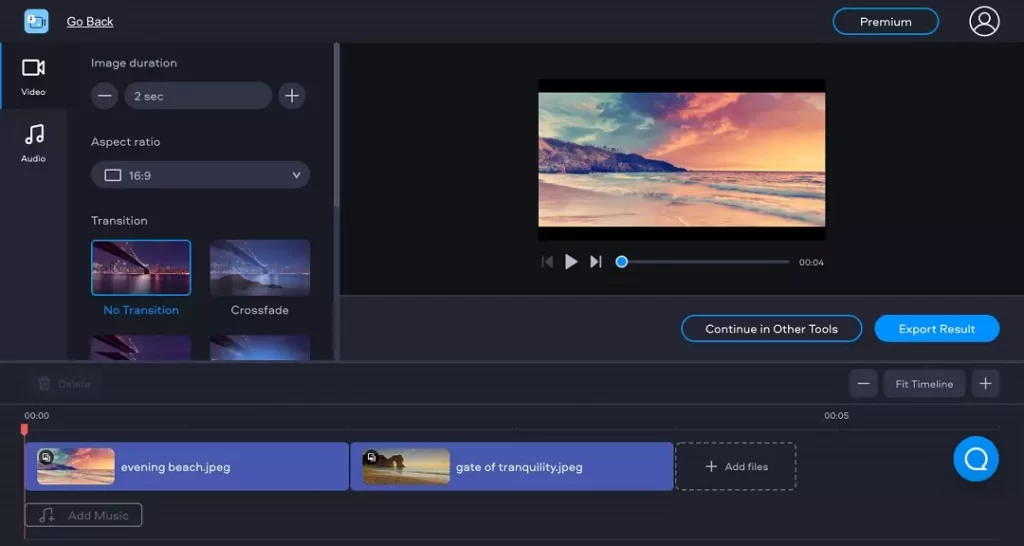
A video merger is a software tool or application that allows you to combine multiple video files into a single video.
It can be used to merge videos of different formats, resolutions, and aspect ratios and is often used for creating compilations, mashups, or longer videos from shorter segments.
Some video merger software also includes editing features such as –
- Support Multiple Video Formats: Most video merger apps support a wide range of video formats, such as MP4, AVI, MOV, and WMV.
- Drag-and-Drop Functionality: Many video merger apps use a drag-and-drop interface, making adding and arranging video files easy.
- Preview Feature: Some video merger apps include a preview feature that allows you to watch the video before merging.
- Cropping and Trimming: Some apps allow you to crop and trim the videos before merging to remove unwanted parts of the video.
- Transitions: Some video merger apps include options for adding transitions between the merged videos, such as fade in/out or crossfade.
- Audio Mixing: Some apps have the feature of mixing audio tracks of different videos together.
- Watermark and Subtitle: Some apps allow users to add a watermark and subtitle to the final video.
- Exporting Options: Video merger apps usually provide a variety of options for exporting the final video, including different resolutions, frame rates, and bit rates.
- Compatibility: Some apps are compatible with multiple operating systems and devices.
- Batch Processing: Some apps allow users to merge multiple videos simultaneously, saving time and effort.
How To Merge Videos In Windows 10?

Method 1: Using The Built-In Photos App
- Open the Photos app by searching for it in the Start menu or by clicking on the Photos tile on the Start menu.
- Click on the “Create” button in the top right corner of the app.
- Select “Video project” from the menu.
- Click the “Add videos and photos” button to select the videos you want to merge.
- Drag and drop the selected videos to the timeline in the order you want them to appear in the final video.
- Click on the “Play” button to preview the merged video.
- Click on the “Export” button to save the final video.
Method 2: Using A Third-Party Video Merger Software
- Download and install video merger software such as Windows Movie Maker, VSDC Free Video Editor, or OpenShot Video Editor.
- Open the software and import the videos you want to merge.
- Drag and drop the videos to the timeline in the order you want them to appear in the final video.
- Use the editing tools provided by the software to trim, crop, and add transitions between the videos.
- Preview the final video to ensure it is to your satisfaction.
- Export the final video to your desired format and save it to your computer.
Method 3: Using Command Prompt
- Press Windows Key + R to open the Command Prompt.
- Navigate to the videos’ folder by typing the CD path/to/folder and pressing Enter.
- Type copy /b video1.mp4 + video2.mp4 finalvideo.mp4 to merge the videos and press Enter.
- The final video will be saved as “finalvideo.mp4” in the same folder as the original videos.
Note: Some third-party software may require a purchase to access all its features. Also, please ensure the videos are in the same format, resolution, and aspect ratio before merging.
How To Merge Videos For Free In Windows 10?
There are several ways you can follow to merge videos for free in Windows 10. You need to get through the absolute process that will assist you in reaching your requirements with complete ease. You need to identify the perfect options that can make things easier for you in attaining your requirements with ease.
Step -1: Upload Your Footage
It offers three workarounds to get all the media files. You need to import from media files. You can transfer all the videos from your phone via all the QR codes. Instantly, you can shoot one by one. You can pick your favorite way to import all the clips.
Step -2: Customize The Clips
You can drag the tips from all the timelines. After that, you have to arrange the videos as per your sequence to match your needs. You can make the videos more seamless while you make the transitions between the two scenes.
Step -3: Export The Video
After you finish the editing process, you have to click on the export button to make things work well for you in all possible ways. Try out the perfect ways that can help you to merge the videos in Windows 10.
You can follow some of the steps mentioned above to make things work well for you in all possible ways. You need to get through the complete process to get the process done in perfect order.
What To Consider When Merging Video Clips?

Merging videos might seem like an overwhelming task. No matter how experienced you are, there are always possibilities of you making a mistake.
When merging different videos to make one cohesive video, there are a few things you need to consider.
A. Trimming & Cutting
When you shoot a video for your content, not every clip is perfect from start to finish. This is where you need to trim the video to keep only the perfect shots.
B. Color Correction
Even if you are wearing the same t-shirt, the color might look different while shooting the video. This happens because of the difference in light and location. Before releasing the video content, you need to match all the colors properly to look consistent.
C. Maintaining The Quality
Finally, it is important that the quality is maintained throughout the edits. When you merge two different videos, there is a possibility that the quality gets hampered. For instance, if one clip has a low resolution, you may want to reduce the resolution of all the other videos before merging.
Check out this YouTube video: How to Merge Videos in Windows 10 | Combine Video Files | Free
Wrapping Up
Yes, merging two videos is sometimes stressful. But with Windows 10, it is super simple with the built-in apps like Photos and Video Editor.
For instance, if you want your photos and videos to look more professional, Windows comes with an in-built app, InVideo. InVideo helps create high-quality videos in a matter of minutes.
With this, we conclude our article here. We hope that you like this article and were able to find the different methods helpful.
If there are any other methods that you are aware of, feel free to share them in the comment section. We can assure you that our readers will find them helpful.
Read Also:
Tags:

Recent
Dinmukhamet Idrisov and a Gold-Mine Dispute From Kazakhstan’s Oligarchic Past
Oct 16, 2026

Memory Chips Are Becoming More Important in the AI Era
Aug 06, 2026

Why Enterprise Web Applications Still Choose Angular for Long-Term Growth
Aug 04, 2026

Due Diligence Decoded: Why Careful Evaluation Still Wins in Business
Jul 11, 2026

Related Articles

How To Balance Your Personal Life With Your Work Life
Putting a lot of priority into your career is an important thing. You want to make sure that you are making a great living, working in an area you love, and enjoying the people that you work with. If you were to have all these things, it would be great. You would be considered very lucky and there is a good chance you would live a very happy life. Of course, even in the best of situations, work can have its toll on you. Work can lead to a lot of stress and negativity. Which can then take a toll on your personal life. Trying to segregate the two is definitely not going to be easy, but it can be done. Here Are Some Important Ideas To Balance Your Personal Life With Your Work Life: If you want some tips regarding how you can do this, then consider the following. 1. Look After Your Mental Health Your mental health is incredibly important. When you are struggling with it, it can really have a nasty effect on all the different parts of your life. If you feel like your mental health is struggling as a result of work, you need to try and find a solution. If you are overwhelmed, then you might need to speak to your employer about getting more help or reducing your workload for a bit. Should the problem be more based on the workplace and the people, then you might want to consider seeking new employment. Solving the workplace issues that affect your mental health can help keep it separate from your personal life. The same works the other way around too. For example, if something in your personal life is causing you some problems, this is going to have an impact on your work as well. So addressing these issues at hand is really going to help keep more balance in your life. Either way, it might be a good idea to visit Limbic to help out. 2. Don’t Overwork Overworking is an issue that a lot of people have. Of course, working hard is a good and productive thing to do. However, when you are overworking it begins to feed into your personal life. It could end up ruining your chances of being social or seeing the people that you love. If you feel like your work is leading to this, then you need to make a change. As productive as you might feel, it is not sustainable, and it is interfering negatively with your personal life. 3. Enjoy Work One of the main reasons people find it hard to balance their personal life with their work life is due to resentment towards the latter. When you don’t enjoy the work that you do, this is a very big issue. So big that you might find it hard to not think about it, even when you aren’t at work. This is why you should try and make your work as enjoyable as possible. If this means considering a career change or changing up your approach to your current job, the choice is yours. Read Also: Virtual Data Rooms: What They Are And Their Critical Importance For Businesses Advantages Of Vacation Rental Management Software Top 7 Part-Time Work-From-Home Jobs In 2021
Feb 03, 2023

Top Signs Your Boss Is Threatened By You
Analyzing human behavior can be a highly confusing task. After all, we are not all robots typing at our desks. But haven’t we all spent hours wondering about that one boss who never made things easy for us? I know I have, and since you are here, chances are you are suffering too. So let’s get down to business! Today’s focus: signs your boss is threatened by you! So, without wasting any more time, simply keep reading to find out all the signs that indicate how your boss might feel threatened by you! Thinking About That One Boss: Top Signs Your Boss Is Threatened By You Finding out the exact insecure boss traits may be more complex than you initially figured! But everything is not always inside your head - sometimes, those feelings that your boss is being rude due to his insecurities are more than just thoughts. If you have been feeling so frequently, then you need to scroll down and check out: signs your boss is threatened by you! Because you never know, it can’t always be a product of your own imagination! 1. Constructive Constant Criticisms: You were looking for signs your boss is testing you, but what happens when you find out that all this time, your boss was sabotaging you? Criticisms are a part of everyday work, and there’s nothing better than criticism that’s constructive. But are those criticisms negatively affecting your work? Are you worried that there’s no way to earn some praise from your boss? Are you confused because your work is good, but your boss won’t stop criticizing you? Chances are, your boss is threatened by you and can’t stop criticizing your work as a result. 2. Zero Appreciation: One thing that I realized early on is that every employee needs a certain amount of appreciation - otherwise, there’s literally no motivation to progress. In that case, you must see if the management and especially your boss give you the appreciation you deserve. If your boss was always very appreciative and then stopped suddenly, although you have only boosted the quality of your work, then it’s not a good sign. It could also be one of those signs your boss wants you gone - but then again, it also depends on the dynamic you share with your boss. 3. Unnecessary Secrecy: When you joined the company, were you able to impress your colleagues and the management with your quality? Were you initially invited to all private meetings, important events, and business tours? Did all of it suddenly stop? If your boss is being secretive around you suddenly, then it’s possible that he doesn’t trust you. It could also be one of the signs your boss is threatened by you - this is because your boss must have seen how good you are and, as a result, now considers you competition. If your boss considers you competition, then that’s a compliment - what do you think? 4. No Promotions: Most companies are known for giving good promotions to employees they consider assets. What about your organization? Have you seen other colleagues receive quick promotions or even financial gifts for their performances? But what about you - Did you receive similar treatment, or did the management ignore you even after you performed well? When you outshine your boss while working together on a project, it becomes a matter of pride. It is highly possible that your boss felt threatened at some point and decided to stop your promotions - your boss doesn’t want the management to notice you are as good as him! 5. No Invitations To Important Meetings: Important meetings are the key to becoming successful in the middle of corporate politics. In fact, if you are worried about why your boss calls you for important meetings, then you should immediately let out a sigh of relief - it means your boss values your opinions, and you matter to the company. But then, if those invitations suddenly stop out of the blue, it could mean so many things, but the end result is that you start feeling incompetent. So when your boss makes you feel incompetent, it doesn’t always mean he is feeling threatened. It could also mean your boss is testing you, or he wants you to focus more on execution. Frequently Asked Questions (FAQs): Check out the most frequently asked questions related to how you could be threatening your boss with your skills or even personality, mentioned below. 1. How Do You Tell If Your Boss Feels Threatened By You? ⁍ You can understand your boss feels threatened by you from the signs mentioned below,• You don’t receive praise for your contributions from your boss.• He criticizes you constantly.• He keeps information from you.• Your boss doesn’t address your problems.• Your boss keeps interfering in your personal life. 2. How Can You Tell If Your Boss Is Jealous Of You? ⁍ You can easily spot jealousy in your boss simply from a few signs, like,• Does he belittle your accomplishments?• Do you face constant needling?• Does he withhold information from you?• Do you face unfair criticism?• Does he assign you irrelevant projects?• Does he ignore your comments? 3. What Do You Do When Your Boss Is Intimidated By You? ⁍ If you think your boss is intimidated by you, then you can check out the tips mentioned below.• Try soothing their feelings.• Try involving them in your development.• Try getting allies together.• Try understanding that some battles are not worth it.• Try keeping a track record of what’s happening. 4. How Do You Tell If You Are Being Sabotaged At Work? ⁍ You can tell you are being sabotaged at work if you spot the signs mentioned below,• Are you facing differential treatment?• Are you getting projects nobody wants all the time?• Do colleagues lie or even snitch on you?• Do colleagues end up excluding you from social conversations?• Are you being excluded from crucial projects or meetings? Check out this YouTube video: Signs Your Boss is Threatened by You https://www.youtube.com/watch?v=6I4i-hawV_8 And It’s A Wrap Now that you know the primary signs your boss is threatened by you, what are you waiting for? You can go back to overthinking a little and try to analyze what your boss is up to! There are several reasons why your boss could feel threatened by you. It can be any of those things, from your charming personality to your expertise. But it can also be a personal affair - did you do something wrong that you don’t even remember, but your boss sure does? So think a little, maybe it was that New Year’s party where you outshone your boss (not that it’s your fault) - meanwhile, don’t forget to let us know about your thoughts and experiences about the same in the comments below. Read More: How To Tell Your Boss You’re Quitting Signs Your Boss Likes You But Is Hiding It 8 Best Practices For Managing Remote Teams
Oct 28, 2022

How To Build An Ecommerce Website To Boost Your Business
Making new Ecommerce websites are accessible nowadays. Those who have a business based on online media have these Ecommerce websites. It is just like a book of business. You have bought a pair of shoes, perfumes, dresses, etc. They have sent your ordered items to your doorsteps. It seems easy when you are looking at things from the view of a customer. But you will feel challenged when you feel you are the business owner, and you have to send the product to the customers’ doorsteps. However, serial entrepreneurs are doing the most demanding things and maintaining ecommerce websites. Benefits Of Using Ecommerce Websites Serial entrepreneurs always use ecommerce websites to boost their business. However, if you are also thinking of opening a new ecommerce website, you will get a series of benefits. First, ecommerce websites have an option to earn a considerable profit. Now make a website and get the benefits. Now, we will tell you the advantages of opening Ecommerce websites. Go through the book of business and learn the factors. 1. Fast Buy As the owner of the ecommerce website, make your customers satisfied. So, it is easy for them to purchase products in some time. It takes only a minute to buy the product. For example, suppose one of your customers finds a particular product if the person gets it by search and can order it in a single minute. In this way, you can get benefits from using Ecommerce websites. 2. Cost Reduction Process It is a book of business where you have to pay less. For example, if you are selling products in your store, spend money on decoration, electricity, lights, and all. But in the online store, you don’t have to pay for other things. You can follow the serial entrepreneurs. The process is simple and also easy to understand. You don’t have to think of negotiation. If you give a price, interested customers will buy it with that price. But sometimes in the shops, people want you to reduce the cost of the product. However, serial entrepreneurs use Ecommerce websites. Read More: Top 7 Part-Time Work From Home Jobs In 2021 3. Multi Selling Products Using the ecommerce website, you will have time to sell multi-products. For example, you can sell grocery items and also clothing items. The all-in-one facility is excellent and also appreciable. You can open a website and boost your business. Go through the book of business. You may need a designer, but you also do not have to pay extra for creating if you know how to design like it. You will get the best profit through the company. Therefore, make a new website and operate it. How To Build An Ecommerce Site Creating an Ecommerce website is a time-consuming process that may take almost a year to decorate appropriately. However, if you are going to make an ecommerce website for the first time, you may feel bored. Thus, you need to have patience for opening a website and also can see the book of business. Don’t lose patience. Wait for the day of getting a high profit. So, we will now see how to make an Ecommerce website. Design the website in the best way that you can. It is the best time to create an ecommerce website. Serial entrepreneurs always follow these steps. 1. Legal Domain Name When you make a perfect plan for creating an Ecommerce website, choose the niche that you will select. Then, when you locate the place, you will work. After that, you also need to have a name that will perfectly match your business content. Famous serial entrepreneurs always place a proper name as the domain name. With this name, everyone will search and will purchase. You may have to buy the domain name the first time. The official website name is always a registered process. However, pay for that. 2. Legal EIN Number For E-commerce Business When you pay for the domain name, ask to get the EIN. It is the process of Ecommerce website business. If you get a number, that means your business is legal. EIN is the employer identification number. Based on that identity number, pay tax to the online service authority. Visit the book of business and get the details there. The process is the same as the shops. Many websites do not have an EIN. That means the business that the owner is running is illegal. Anytime the owner can get rid of accessing the account. However, you must think of doing a permanent business. Therefore, you must apply for an EIN. 3. Business Permission And License To run a legal e-commerce business, get the license to tell you to have a legal E-commerce business. Then, you need to get permission from the authorities. So, apply for obtaining a permit and go to the next steps. However, wait for the response of the authority and then proceed. Then, in the book of business, it is appropriately mentioned. 4. Designing Designing is the last significant part of creating an Ecommerce website for running a business. When you get an echo from the authority, that means they want you to do the business. However, you go gentle and choose a platform through this, and you will operate the site. For designing, you may need to have a designer. Therefore, select a person who will design your website as you will want. Successful serial entrepreneurs always follow the steps and then open websites and earn money online. Read More: How To Endorse A Check- Step By Step Guide For The Beginners In 2021 The Last Lines These are the steps that serial entrepreneurs have to follow to boost their business through E-commerce. However, all the doubts that you could have been cleared. If you still have doubts, then watch a video and learn in more detail. But before going through the steps, research the market. In that, you will learn what the best niche is in demand. You can go with it, therefore. However, don’t waste your time and seriously have a look at the book of business. It is the best time for you, so go gentle towards your goal. Read More: What Is Network Marketing And How To Do It In 2021 How To Open A Small Restaurant With Less Budget?
Jul 15, 2021

The Rise Of Mephedrone Synthesis: Unveiling The Health, Business, And Food Implications
Mephedrone synthesis has gained significant attention in recent years due to its widespread use as a recreational drug. Also known as "bath salts," mephedrone is a synthetic stimulant that can produce euphoric and hallucinatory effects. However, the process of synthesizing mephedrone has far-reaching implications beyond its recreational use. This article aims to explore the health, business, and food implications associated with the rise of mephedrone synthesis. Health Implications Of Mephedrone Synthesis The health implications of mephedrone synthesis are a cause for concern. As a synthetic drug, mephedrone poses various risks to users. The substance can lead to severe physical and psychological side effects, including increased heart rate, elevated blood pressure, and even psychosis. Prolonged use of mephedrone can also result in addiction and dependency, leading to a range of social and personal problems. Moreover, the lack of regulation and quality control in the synthesis process can lead to the production of impure and dangerous substances, further exacerbating the health risks associated with its use. Additionally, the rise of mephedrone synthesis has also led to an increase in related health issues within communities. The production and distribution of mephedrone often occur in underground laboratories, leading to environmental contamination and the risk of explosion due to the use of volatile chemicals. The improper disposal of waste products from this particular synthesis can also have detrimental effects on water sources and wildlife. It is crucial to address these health implications and implement measures to mitigate the risks associated with mephedrone synthesis. Business Opportunities In The Mephedrone Synthesis Industry While the health implications are a significant concern, the rise of mephedrone synthesis has also created business opportunities within the industry. The illicit drug market surrounding mephedrone synthesis has become a multi-billion dollar industry, attracting individuals seeking financial gain. From the production of precursor chemicals to the distribution and sale of the final product, the mephedrone synthesis industry has created a lucrative market for those involved. Furthermore, the rise of this form of synthesis has led to the emergence of ancillary businesses. These include manufacturers of equipment and supplies used in the synthesis process, as well as the development of testing kits and detoxification products. While these businesses may not directly contribute to the synthesis of mephedrone, they play a significant role in supporting and facilitating its production and consumption. The Impact Of Mephedrone Synthesis On The Food Industry The impact of mephedrone synthesis extends beyond the realm of illicit drugs and into the food industry. Mephedrone, being a synthetic compound, is not intended for human consumption. However, there have been cases where mephedrone has been found as an adulterant in food products, posing serious health risks to consumers. The unauthorized addition of mephedrone to food products is a concerning trend, as it can go undetected without proper testing and quality control measures. The presence of mephedrone in food can lead to adverse health effects, ranging from mild symptoms such as nausea and dizziness to more severe consequences, including organ damage and even death. It is imperative for authorities and regulatory bodies to strengthen their efforts in monitoring and preventing the adulteration of food products with mephedrone. The Rise Of Mephedrone Synthesis: Trends And Statistics The rise of such synthesis can be observed through various trends and statistics. The demand for mephedrone has increased exponentially in recent years, with reports suggesting a global surge in its production and consumption. This rise can be attributed to factors such as its accessibility, affordability, and the perceived notion that it is a safer alternative to traditional illicit drugs. Additionally, the emergence of online platforms and dark web marketplaces has facilitated the trade of mephedrone, making it readily available to a broader audience. The anonymity and ease of online transactions have further fueled the growth of the mephedrone synthesis industry. Furthermore, statistical data on mephedrone-related incidents, such as hospital admissions and law enforcement seizures, provide insights into the scale of the problem. These statistics highlight the need for comprehensive strategies to address the rise of mephedrone synthesis and its associated risks. Risks And Dangers Associated With Synthesis The risks and dangers associated with this synthesis extend beyond the health implications mentioned earlier. The clandestine nature of the production process poses significant risks to those involved in the synthesis, including the risk of chemical exposure, fire, and explosions. The volatile and hazardous chemicals used in the synthesis process can lead to severe injuries and even fatalities. Moreover, the unregulated production of mephedrone increases the likelihood of contamination and impurities in the final product. Users may unknowingly consume substances that are harmful or potentially lethal, resulting in severe health consequences. It is important to highlight these risks and dangers associated with mephedrone synthesis to raise awareness among individuals involved in its production and consumption, as well as the general public. Synthesis In The Underground Market Mephedrone synthesis predominantly takes place within the underground market, which operates outside the realm of legal regulations and oversight. The clandestine nature of the underground market makes it challenging to monitor and control the production and distribution of mephedrone. The underground market for mephedrone has thrived due to its profitability and the demand for the substance. It is often associated with organized crime networks and illicit drug trade, further exacerbating the challenges faced by law enforcement agencies in combating its proliferation. Efforts to disrupt the underground market for mephedrone synthesis require a multi-faceted approach, including intelligence gathering, targeted law enforcement operations, and international cooperation. By dismantling the supply chains and disrupting the production networks, authorities can effectively combat the rise of synthesis in the underground market. Conclusion: The Future Of Mephedrone Synthesis And Its Implications The rise of mephedrone synthesis has unveiled a complex web of health, business, and food implications. While the health risks associated with mephedrone consumption are a cause for concern, the illicit industry surrounding its synthesis has created lucrative business opportunities. The impact on the food industry, through the adulteration of products further highlights the need for regulatory measures. The legal aspects and regulations surrounding synthesis vary across jurisdictions. However, governments are actively working to combat its production and distribution. The rise of mephedrone synthesis has also prompted increased public awareness and government initiatives. They seek to address the issue through education and law enforcement. As we move forward, it is crucial to remain vigilant and address the challenges posed by the rise of mephedrone synthesis. By implementing comprehensive strategies, fostering international cooperation, and raising public awareness, we can mitigate the health risks, disrupt the underground market, and ensure a safer future for our communities. Read Also: how to start a business in 2021 – best business strategies top 5 successful serial entrepreneur of all time – 2021 updates 5 most powerful marketing strategy that will change your business in 2021
Sep 20, 2023