





Beyond Stickies: Innovative Note-Taking Apps For Mac Enthusiasts

Apple’s humble Stickies application has served Mac users well. It has allowed users to quickly record an idea, save essential details, create a reminder, or keep critical information visible on the screen while they work. Although it does the job, the Stickies app may feel clumsy because it is a decade-old application that hasn’t received any significant updates in recent years. Therefore, it is natural for Mac users to feel they deserve more, and they do.
Fortunately, there’s a vibrant ecosystem of note-taking applications waiting to be explored. You don’t have to singularly rely on Stickies to ignite your creativity and streamline your workflow. Let’s take a look into a world beyond Stickies.
Unclutter

Do you want a personal productivity sidekick? Unclutter comes to mind. It lends a hand without getting in the way. You can stick the notes above the desktop and access them whenever you want with a single gesture. If you need to revisit something you had copied a while ago, you can dip into the Clipboard History.
With Unclutter’s Quick Notes, you can instantly jot down something that is going on in your mind or something you heard during a meeting without opening a full-fledged text editor. There’s also the File Hub for all those random files that keep multiplying on your desktop. Hence, you don’t have to frantically search for them anymore.
Post-It
Post-It is another popular sticky notes application that gives competition to Apple’s Stickies. This software has got your back, whether you are great at collaboration and teamwork or need a push for your to-dos. With this application, you can maintain your momentum while working or distance learning as a student.
The software is capable of generating ideas with coworkers or organizing homework for your teachers. You can even create eye-catching, vibrant calendars and give them to your friends. To make the note interactive, you can add photos.
When it comes to sharing, this software gets along with everyone. You can export all your notes without a fuss to your preferred cloud services or third-party programs, such as iCloud, Trello, Miro, etc.
Bear

Do you love the elegance of plain text but want richer formatting? This is where Bear comes to the rescue. This is a stunning application that harnesses the power of Markdown. It allows users to style their notes with simple, effortless keystrokes. You can create nested lists, drag and drop pictures, and even embed code snippets with a lot of ease.
The user-friendly, minimalist interface and dark theme of Bear offer a distraction-free zone for crafting code, prose, or anything that comes to your mind. Whether you are a programmer conjuring algorithms or a novelist weaving intricate thoughts and worlds, Bear can be your trusted sidekick.
Ulysses
Are you a long-form writing enthusiast? When it comes to crafting prose, Ulysses is your best friend. This is a user-friendly, elegant application offering distraction-free writing modes. It provides focus goals so you can stay on track. Also, the app comes packed with organizational tools so you can structure your next magnum opus.
Sheets is a fascinating feature of Ulysses that helps break down one’s writing into easily readable, manageable chunks. There’s the goal board that keeps the vision front and center so users never feel lost in their mission.
With Ulysses, you can instantly say goodbye to all the clunky word processors and enjoy the minimalist beauty of this application. Allow your words to flow freely!
Evernote
Does Evernote need an introduction? This has become one of the most widely used note-taking applications in recent years. The latest iteration of the application deserves a standing ovation because it has reinvented itself by offering robust organizational tools and a sleek interface. The app even allows for cross-platform syncing. Within the expansive world of Evernote, you can create to-do lists, capture audio notes, scan documents, and clip web pages. The application is ideal for professionals, students, and anyone juggling several projects simultaneously.
Read Also: Higher Education And Business Triumph: What’s The Connection?
Obsidian

Obsidian is more than a note-taking application. It is a knowledge palace that is waiting to be built. The mind-blowing application leverages linking notes to create a web of interconnected ideas.
Although each note has a separate identity, they can be seamlessly connected to each other through bi-directional links. The links can be discovered visually.
The application is ideal for students, researchers, and anyone who loves mapping out complicated ideas and forging intellectual connections.
Notability
Notability is another excellent application for Mac users. But it is not merely a note-taking application. The tool captures the entire thought process. It seamlessly blends typed text, sketches, handwritten notes, pictures, and even audio recordings in a single note. Users can unleash their creative side by importing web pages, annotating PDFs, and doodle diagrams.
Conclusion
So, these are some popular note-taking applications you can consider if you are seeking something better than Stickies.
Read Also:
Tags:

Recent
Dinmukhamet Idrisov and a Gold-Mine Dispute From Kazakhstan’s Oligarchic Past
Oct 16, 2026

Memory Chips Are Becoming More Important in the AI Era
Aug 06, 2026

Why Enterprise Web Applications Still Choose Angular for Long-Term Growth
Aug 04, 2026

Due Diligence Decoded: Why Careful Evaluation Still Wins in Business
Jul 11, 2026

Related Articles
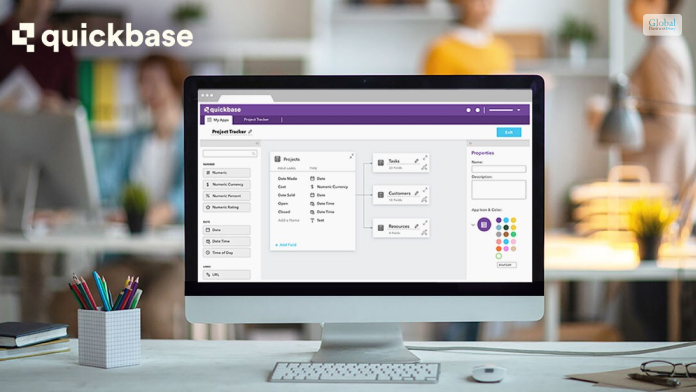
What Is QuickBase? A Low-Code Database Platform For Citizen Developers
QuickBase is a great software platform that allows you to streamline the work related to business management, lead management, and resource management for better work processes. This software platform is a no-code platform where you can empower your business teams to create, modify, and customize applications despite not having major programming skills. In this article, you will learn some basic details about QuickBase, which you need to be aware of if you try to purchase the software for your business. In addition to the pricing of the software, you will also learn about the major features of the software platform, which you can find after your QuickBase Login. Hence, you shall find out whether this software is a good option for your business or not. Finally, we will discuss some of the major pros and cons of the software. Hence, to learn more about the software, read on through to the end of the article. QuickBase – What Is It All About? In the year 2022, Inc. Magazine named QuickBase as the Best in Business SaaS software. This tells you that the company has made a positive impact on society, the environment, communities, and industries. You will have better access to better information. Furthermore, automated workflows and access through permissions can help in enhancing security. According to the official website of QuickBase, “A big focus at QuickBase is how to create better connections. Between your people, among your systems and data, with partners and collaborators. And that connection can – and should – go even further when you are truly effective.” Basically, QuickBase allows you to get all aspects of your business operations in one place. This acts as a centralized system that everyone can access. On the other hand, you will also have a better idea of what is happening at every stage of the business organization. Once you start using QuickBase, there shall be less risk for your organization, and you will be able to reduce the amount of waste that your organization generates. This, in turn, can help you to cut down your costs, as you can connect the existing systems of your business with the key contributors. Read More: Zoho CRM – Best Features, Pricing, Pros, Cons, And Alternatives QuickBase Pricing Provided the types of functions that QuickBase offers for businesses, the price looks quite affordable. Furthermore, once you try to purchase the basic version of the app, you will be able to use the app for a period of thirty days as a trial, where you will get all the features available at higher levels. Here are the pricing levels of QuickBase: PlansPricingTeam$35 per user per month (annual billing) for a minimum of 20 usersBusiness$55 per user per month (annual billing) for a minimum of 40 usersEnterprise- Fully customizable software- Price as per the types of services availed.- For the whole enterprise and interconnected use cases. QuickBase – What Are The Major Features That It Offers? QuickBase helps you streamline the processes of the organization, and your teams can also improve their complex business application. Furthermore, here, you will not need to worry about the cost of traditional development, maintenance, and deployment of resources. Here are the major features: Project management Portfolio management Resource management Budget and Finance Contract management Work-order management Subcontractor management Reports and Analytics, and many more. Why Can QuickBase Be A Good Option For Your Business? As per the claims of QuickBase’s official website, “QuickBase helps your team mitigate risk, reduce waste, and cut down on unexpected costs by connecting your existing systems with key contributors. With automated workflows and granular permissions, the right people will have access to the right information every time.” Apart from that, there is also QuickBase Training which you can avail of to become an expert with the software. Once you start using the software at all levels for the business, it will help in simplifying the processes. It also comes with a variety of options for integrations as well, as you can connect with all the QuickBase software systems, as well as third-party systems. Essential Pros And Cons Of QuickBase Like every other software platform, QuickBase also comes with its own set of pros and cons that are essential for you to know. The following are the major pros and cons that you will need to know about QuickBase: Pros Of QuickBase Here are the major pros of QuickBase, which shall surely benefit your business processes: The platform has very proactive and outgoing product support. There is a large user community forum, which is brisk. Here, you will be able to learn a lot about the software and clear your doubts as well. There are many customization options that allow you to personalize the software based on the needs and demands of the business. The reporting and analytic functions are plenty, and they are powerful as well. Such features can help you to make data-driven decisions for your organizations. There are plenty of integration possibilities with third-party applications as well. There are a variety of permission levels that can enable you to maintain better control of your business. Cons Of QuickBase The following are some of the cons of QuickBase which you need to be aware of if you are thinking about making a purchase: The software has many features and can get complicated in certain cases. Hence, there is a steep learning curve at the start. The mobile app is not so great and lacks functionalities and features. The budget and financial management tools are limited. There are some problems with the tables, as retrieving data can be difficult. If you want a summary of configuration information, it is not possible. Creating dynamic forms is complicated. Read More: Freshworks – Best Features, Pricing, Pros, And Cons: Let’s Discuss Summing Up Hope this article was helpful for you to find out whether QuickBase is a good option for your business or not. We think it is. If yours is a small business, this is great software to manage your business processes easily. What are your own reviews about the software? Share with us in the comments section below. Read Also: Leadfeeder 2023 Costs, Specifications, Evaluations, And Alternatives Creatio CRM – Review, Major Features, Pros & Cons, And More What Is Salesforce Sales Cloud? – Let’s Find Out In Details
Jul 18, 2023

Measurement And Monitoring Solution Of Oil Storage Tank
Just recently, there were only a few ways of measuring the levels of oil storage tanks, such as visual checks and by use of a dipstick. Nevertheless, these procedures were slow, inaccurate, and not in real-time. The era has changed with the advent of liquid-level transmitters to monitor oil storage tanks. Oil storage tanks have been hugely impacted by the emergence of liquid-level transmitters. These devices present real-time data that is both accurate and dependable. Furthermore, it has become possible to remotely determine whether oil levels are appropriate as well as detect leakage points. They have increased efficiency in operations, minimized human errors, and enhanced safety at oil storage facilities. Advise Measuring And Monitoring Solutions For Oil Storage Tanks There are many considerations you need to make before deciding on which level sensor to use for your tank filled with petroleum fuel: accuracy, reliability, longevity, and conformance with industry standards. But let’s move on; how do you optimize them? 1.Ensure Correct Installation: However, when one wants to maximize the performance over these devices as well as increase the accuracy levels, it is good to strictly adhere to what the manufacturers say during installation. 2.Calibration and Maintenance: Regular calibration of the liquid level transmitter is done to ensure accuracy is maintained. Also, routine maintenance checks are carried out to ascertain that the device is functioning smoothly and prevent potential issues. 3.Monitoring System Integration: Integrate the liquid-level transmitter with a comprehensive monitoring system for real-time data monitoring, alarms, and alerts. This will enable proactive decision-making, prevention maintenance, and enhanced general efficiency. 4. Consider External Factors: While choosing a liquid-level transmitter, consider external factors like temperature, pressure, environmental conditions, and hazardous zone requirements. Ensure it can withstand and operate effectively within your oil storage facility’s specific conditions. Solutions For Measuring And Monitoring Of Oil Storage Tank Now, let us discuss three highly recommended liquid-level transmitters for measuring and monitoring solutions for oil storage tanks: MPM489W Liquid Level Transmitter The Microsensor MPM489W Level Transmitter is a highly advanced and adaptable instrument designed for several industrial applications. It has an integrated structure which means no further adjustments are needed, streamlining field service and automation control. The transmitter has certifications for intrinsic safety type (Ex ia IIC T6 Ga) and explosion-proof type (Ex d IIC T6 Gb) to ensure safe operation in dangerous environments. The MPM489W is a fully sealed submersible design that makes it durable and hence suitable for use in high strength stainless steel housing with liquids compatible with the same. It also ensures long-term sensor service given its tight seal between the cable and housing. Additionally, it has a dedicated circuit together with a piezoresistive sensing element that is known for their stability and reliability thus contributing to product accuracy and repeatable performance. The transmitter covers an extensive measurement range from 0mH2O to 200mH2O, with overpressure protection up to 2 times FS. Accuracy specifications are quite impressive as they range from ±1%FS at lower pressure values (0mH2O – 1mH2O) to ±0.25%FS at higher pressure values (10mH2O – 200 mH2O). Also, it meets the test standard of GB/T 17614.1-2015/IEC60770-1:2010, which reflects its commitment to quality. The operating temperature range of the MPM489W allows it to be used in different environments: -10℃ to 60℃ (intrinsic safe type), -20℃ to 70℃ (cable material: PE, PVC) and –20℃ to 80℃ (cable material: PUR). It has a storage temperature range of -20℃ to 85℃, a vibration resistance rating of 10g(55Hz~2000Hz), and a shock resistance rating of 100g for an impulse duration of 11ms. This MPM489W has an IP68 protection rating that ensures its resilience against dust and water ingress, making it suitable for use in challenging industrial environments. The thermal drift specifications are outstanding, with small values implying minimal influence on accuracy at different temperatures. It also has various output signal options like 4mA20mA, 1V5V DC, 0V5V DC, 0V10V DC, which can be used in a wider range of control systems. Read Also: The Evolution Of IT: Understanding The Role Of Managed Support In London MPM426W Series Submersible Level Transmitters The MPM426W series submersible level transmitters are designed to be versatile and reliable for various applications by incorporating a sturdy construction and extensive features. The transmitters come with a fully welded body that guarantees their endurance in severe working conditions, including those requiring high resistance to wear and tear, or even explosive zones. They also consume less power, thus leading to energy saving while having a large temperature range of operation which enables them to adapt to different environmental conditions. What makes these transmitters unique is their ability to measure levels in diverse categories of storage tanks such as processing oils like gasoline and diesel among other chemicals like methanol, ethanol, DEF, etc. This feature is complemented by integrated temperature measurement which makes them appropriate for situations where varying degrees of heat are important. In addition, there are multiple output signals and a magnetic end cap for movable tanks that make them much more flexible and user-friendly. The MPM426W series accuracy floor is well pronounced going by the pressure types/ range which ranges from ±0.25%FS TO ±1%FS. They are fitted with IP68 rated protection making them resistant against water and dust hence they can be used as submersibles. Moreover, due to their approval for use in hazardous areas, it is clear that they prioritize safety. In general, the MPM426W series is a reliable and versatile solution for level monitoring across industries as well as its precision, durability and adaptability in harsh operational environments. Conclusion So that’s all about the measurement and monitoring solution of the oil storage tank. Anything involving fluids or oils needs to be taken seriously. That is, in terms of safety, efficiency, and reliability. All the transmitters we discussed above are key to enhancing these aspects. Even so, they work best when used in consideration of the tips discussed earlier. Read Also: Top Florida-Based Software For Audit Management Equity Theory: A Balancing Act For Modern Workplaces Unleashing The Power Of Azure Integrated Services For Enhanced Cloud Capabilities
Dec 16, 2023
What Is LeadSquared? Features, Pricing, Pros, And Cons
LeadSquared is a popular customer acquisition platform that encompasses both the features that are available in CRMs and Marketing Automation software. Once you implement it, with the help of this platform, you will be able to integrate the sales and marketing teams in the same place. With the help of this software, your business can be able to capture leads, nurture them, and perform processes related to lead management, sales management, marketing analytics, etc. In this article, you will come across a general review of the platform named LeadSquared. Apart from that, you will also learn why this software platform can be a great addition to your business. In addition to that, we will also include what are the major features that this software platform brings to the table and how it can benefit your business. Finally, we will discuss the major pros and cons of the software. Hence, to learn comprehensively about the software read on through to the end of the article. LeadSquared – A General Review Of The Software LeadSquared is a platform that brings you a variety of software services that include Sales CRM, Marketing Automation, Mobile CRM, Customer Portal, Performance Management, API, and more. However, for this article, the focus will be only on Sales CRM and Marketing Automa According to LeadSquared, “There are multiple sales journeys, involving different channels, processes, teams, and touchpoints. LeadSquared connects them all – processes, distributed teams, and touchpoints – to give you one complete end-to-end sales execution platform – for your digital teams, call center agents, feet-on-street teams (sales, partner onboarding, service), and operations.” LeadSquared Unicorn claims to simplify the processes so that the team focuses on the next task and thinks of enhancing their efficiency to make more sales. The same is true for the marketing automation software services that LeadSquared offers. Here, you will be able to track all the actions of your prospects and all the conversation they delve into with your team. One of the best things about LeadSquared is that it offers a useful and simple CRM that is quickly becoming one of the favorite marketing and sales tools for businesses throughout the world. The CRM also includes many features and is built in such a way as to handle a lot of users, activities, and leads at the same time. It is one of the best choices for startups and small businesses which are on the verge of growth. Read More: CRM software Monday: Features, Price, Pros & Cons of Monday Sales CRM LeadSquared - Pricing The pricing of LeadSquared makes it one of the best choices for small and medium-sized businesses as well as startups. Sales CRM + Mobile CRM Plans: PlansPricingLITE$25 per user/month (annual billing)PRO$50 per user/month (annual billing)SUPER$100 per user/month (annual billing) Marketing Automation Plans: PlansPricingESSENTIAL$150 per month (annual billing)BASIC$400 per month (annual billing)STANDARD$1200 per month (annual billing)ENTERPRISE$2500 per month (annual billing) Why LeadSquared Is A Great Software For Your Business? One of the best things about LeadSquared is that it offers businesses a simple CRM and software service for a better experience and fast work processes. According to a review by GetApp.com, “LeadSquared also comes with powerful integrations with other business tools to ensure a seamless experience. Recently, they have also built a developer platform, where you can design and write custom code which can be used to build custom business logic.” LeadSquared is a cloud-based platform and can run with the most common operating systems, no matter which device you are using at the moment. Whether you are looking for lead management, marketing automation, and sales acceleration, LeadSquared can help you in all these regards. The software lets you capture leads from most of the sources that help in lead generation. Furthermore, with the landing page builder of the software, one can create and customize landing pages. You can also choose from a wide variety of templates. Some Of The Major Features Of LeadSquared That Can Help Your Business The following are some of the most important features that the LeadSquared software platform offers you once you do a LeadSquared login: 1. Automation Of Lead Capture And Management Processes The software offers mobile responsive landing pages that help the organization increase traffic. Apart from that, you can use various website widgets that can help you to generate more leads. With a variety of inbuilt features, capturing leads will become seamless for you. 2. Marketing Automation Of Marketing Processes With the help of drip marketing, you will be able to engage and sell more. Furthermore, there are also options for you to segment your lists of contacts based on lead scores, lead nurturing, location, behavior, and more. The software also lets you share personalized content with your leads and customers through the use of messaging and email. 3. Accelerating And Boosting Sales According to the official website of LeadSquared, you can “Capture leads from all your channels automatically, manage them intelligently, transfer them to the right teams (and people). Ensure zero lead leakage and zero missed opportunities.” The lead scoring feature also lets you identify your prospects faster. Furthermore, there are behavioral insights related to each prospect as well. Essential Pros And Cons Of LeadSquared The following are the major pros and cons of the LeadSquared software platform: Pros Here are the pros of LeadSquared: Protection of sensitive data No lead leakage Better engagement of leads Clear views and record of the activity history Full record and performance of sales and marketing Cons Here are the cons of LeadSquared: Lack of stability in the portal Unnecessary delays sometimes Slow response from the customer service Read More: Less Annoying CRM – Pricing, Features, Pros And Cons, And More Summing Up Hope this article was helpful for you in getting a better idea of the LeadSquared Sales CRM and Marketing Automation software. If you think the features that this software offers are exactly what you need, then you must consider purchasing the software. Apart from that, you must also check the pricing and find out which one suits the best for you and your organization. Do you think that LeadSquared can make a difference in your business with its features? Share your reviews with us in the comments section below. Read Also: SmartCoin: Information, Eligibility Criteria, Interest Rates, Review & More LoanTap: Information, Eligibility Criteria, Interest Rates, Review & More Navi: Information, Eligibility Criteria, Interest Rates, Review & More
Jun 09, 2023

How AI Is Quietly Reshaping Pharmaceutical Manufacturing
AI in pharma is quietly changing everything. It is doing so without any loud and flashy headlines. However, it is doing so steadily and meaningfully. Moreover, this industry is built on precision. Hence, there is no room for “close enough.” So when AI shows up and starts helping with aspects like ingredient variability, environmental shifts, and human error, people pay attention. Although AI is not replacing experts, they are backing them up. This way, it is making their decisions sharper and their workflows smoother. Smarter Workflow, Less Drama In general, old-school automation follows the script and doesn’t improvise. Meanwhile, AI is totally different since it learns, adjusts, and improves with time. Take predictive maintenance. Machines don’t just break, but they whisper first through data. AI hears it and makes tiny shifts in performance. Also, it catches those issues before things go sideways. Hence, there are no more “surprise” breakdowns or “why is this happening now?” moments. And it’s not just machines. In fact, AI tweaks production settings in real time. Thereby, efficiency goes up and waste goes down. This feels like magic, but it’s just math. Supply chains are having the same story. Also, AI forecasts demand swings, spots shortages before they hit, and helps juggle global logistics. Innovation vs. Regulation: The Tightrope Walk Since tech moves fast, regulations also change constantly with time. That is why pharma companies are stuck in the middle, trying to push boundaries without crossing lines. AI is helping here, too, with natural language processing. It analyzes dense regulatory docs easily. Also, automated tracking keeps tabs on everything from start to finish. Moreover, AI also simplifies traceability and compliance. Hence, less time buried in paperwork means more time to actually innovate. It’s Not About the Buzz. It’s About the People. This isn’t some shiny tech trend. Rather, it is about building systems that work better for the workers on the factory floor and the patients waiting for meds. Moreover, the big shift is quieter. It is happening in the background, in the data, and in the tiny decisions that add up. Hence, there are no fireworks but just progress. For additional insight into how AI is redefining standards in pharmaceutical production, explore the visual guide accompanying this article from Advanced Technology Services, provider of preventative maintenance services. Read Also: A Comprehensive Guide To AI in Contract Management
Oct 17, 2025