


How Does The Procurement Process Work? Essential Things To Know About It

The procurement process has been an essential part of the business since its existence. The process of buying the products and services for running the business smoothly forms an essential part of the organization.
You need to get the supplies at the lowest cost procurement while maintaining the bottom line in the business. The procurement team works in coordination with the other departments of the organization. To get the necessary pieces of equipment essential for day-to-day work.
If you want to grow your business smoothly, you cannot ignore the importance of the procurement process. It forms an integral part of the business that can help your organization to grow. Seek the help of a strategy consultant if you face any difficulty in the process.
What Is A Procurement Process?

The procurement process refers to the series of steps an organization follows to acquire goods, services, resources from external sources. It involves everything from identifying the need for a product or service to the final payment. You need to be well aware of your organization’s needs.
How Does The Procurement Process Work?

There are several ways the procurement process works in an organization. You need to be well aware of it while meeting your organizational goals with ease. Some of the key processes which you can employ are as follows:-
1. Identifying The Needs With Procurement Process
Departments or individuals within an organization identify the goods or services required. This might involve assessing inventory levels, forecasting future needs, or responding to specific project requirements. Here the seller’s concessions also form an important part. It can reduce your cost significantly.
2. Specification Development
Clear specifications or requirements and draft the details of quality, quantity, timelines, and any other specific criteria. It will help you to keep accurate records of the products that you are purchasing from the market. Furthermore, it will guide you in times of crisis if you face any legal complications.
3. Supplier Identification
Potential suppliers or vendors you need to identify through databases, market research, or by issuing requests for information (RFI). It is the third most important step in the procurement process that you cannot ignore from your end. Once you follow this step, things are going to be easier for you.
4. Request For Proposal Or Quotation
A formal document is sent to potential suppliers outlining the requirements and soliciting their proposals or quotes. This document includes information about the organization, its specific needs, evaluation criteria, timelines, and terms and conditions. It is one of the vital steps in the procurement process that you cannot ignore from your end. Follow the correct process that can make things easier for you.
5. Proposal Evaluation
Received proposals reviewed and evaluated based on various criteria such as cost, quality, delivery time, supplier reputation, and compliance. You need to be well aware of this step at the time of proposal evaluation of the procurement process. Even a single small aspect is not left out in this process. Try to know the complete process to have a better insight into it. Consider the capital expenditure in this regard seriously.
6. Negotiation With Procurement Process
Discussions take place with selected suppliers to finalize terms, prices, delivery schedules, and other conditions. This stage aims to reach a mutually beneficial agreement. The process of negotiation in the procurement process aims to offer a win-win solution to both parties. Working with experienced procurement specialists, such as ProcureAbility, can help streamline negotiations and ensure the best possible terms for your organization.
7. Contract Creation With Procurement Process
A formal contract is drafted detailing the agreed-upon terms, responsibilities, timelines, and any other pertinent information. Both parties review and sign the contract. The agreement signifies the fact that both parties agree on the terms and conditions of the procurement process. Once you follow the correct method, things are going to be easier for you in the long run.
8. Purchase Order
After the contract is signed, a purchase order is issued to the chosen supplier. The PO specifies the details of the purchase, including quantities, prices, delivery dates, and any other relevant terms. The PO is proof that both parties agree with the terms of the contract and that they can proceed with the procurement process. You need to know the complete process to make the process feasible for your business.
9. Goods & Service Receipts
Upon delivery, the organization receives the goods or services and checks them against the agreed specifications. Any discrepancies or issues are addressed with the supplier. Once you get the receipts of the goods and services, it will become easier for you to complete the process of procurement.
Types Of Procurement Process
There are several types of procurement processes that you must be well aware of. You must not make your choices in grey. However, when you follow the correct process, things will become easier for you at the time of procurement. Some of the key types of procurement process are as follows:-
1. Direct Procurement
This involves the acquisition of goods or services directly used in the production of a company’s offerings. For example, raw materials, machinery, or components for manufacturing.
2. Indirect Procurement
Indirect procurement involves acquiring goods or services that are directly not involve in the production process but are essential for business operations. This might include office supplies, IT services, marketing services, etc.
3. Service Procurement
This focuses specifically on acquiring various types of services rather than physical goods. It could involve hiring contractors or consultants or outsourcing specific tasks like cleaning, security, or legal services.
4. Strategic Procurement
This approach involves a more long-term and strategic view of procurement. It considers factors beyond immediate cost savings, such as supplier relationships, risk management, innovation, and overall value creation.
5. Sustainable Procurement
Also known as green procurement or responsible procurement, this type emphasizes the environmental, social, and ethical impacts of procurement decisions.
Final Take Away
Hence, if you want to develop the perfect procurement process in your organization, then you cannot ignore the facts mentioned. You should follow the right process in this matter. It will help you to make a perfect deal for your business. Share your experiences with us in our comment box. It will help us to know your feedback in this matter. Your feedback forms a valuable part of our content strategy. So, you must not ignore this fact from your end.
Read More Business Related News By Clicking Below!!

Recent
Time Matters: The Role of Early Hazard Detection in Industrial Safety
Jan 20, 2026

Hidden Ignition Risks in Industrial Environments
Jan 17, 2026

Critical Thinking Exercises in the Digital Age and Emotional Intelligence Integration
Jan 14, 2026

Why Strategic Partnerships Matter More Than Ever
Jan 13, 2026

Related Articles
Freshworks – Best Features, Pricing, Pros, And Cons: Let’s Discuss
Freshworks offers you a CRM that helps to streamline your sales and customer service management. The best part is that you will not need to break the bank to do so. The CRM system comes with a variety of useful features as well as other software systems from the brand, which can be integrated easily with the system. Furthermore, it is one of the such CRM options that come with a variety of customization options as well. In this article, you will learn about the major products of Freshworks, along with a brief overview of Freshworks’ services. Then we will provide you with the pricing of the Freshworks CRM. Next, we will discuss the major features of the CRM system from which you can benefit. Finally, you will learn why the Freshworks CRM is a great option for your business, followed by some pros and cons of the software system. Hence, to learn more about this software system, read on through to the end of the article. Freshworks Products – A Brief Overview Freshworks is a brand that comes with three different categories of products – Customer Service Products, IT Service Products, and CRM Products. The major CRM software from Freshworks is Freshsales. According to Forbes.com, “Freshsales is an all-in-one solution providing unified sales, marketing, chat and telephone capabilities. The Freshsales CRM works on a browser or mobile app, making it easy to reference or add to your contacts wherever you are. It’s also a fully customizable app, so you can change your dashboards to suit how you view your contacts or data.” Customer Service Products include Freshchat, Freshdesk Support Desk, Freshdesk Omnichannel, Freshdesk Contact Center, and Freshdesk Customer Success. IT Services Products include Freshservice for IT and service management, and Freshservice for Business Teams, for better-streamlining business processes. CRM Services include Freshsales and Freshsales Suite for the management of sales services and Freshmarketer for marketing and lead management. All the customer services products and the IT services products are included with the CRM services. Freshworks – What Is The Pricing? One of the best things about the Freshworks CRM (Freshsales) is that there are three different plans based on the type of user that needs to work on the CRM. Here are the plans and their respective pricing: PlansPricingFree PlanNo payment (for up to three users only)Growth$15 per user per month (annual billing)Pro$39 per user per month (annual billing) Furthermore, there is an 'Enterprise' plan that is designed for larger businesses, having complex sales processes and lead management needs. This plan is for businesses that deal with higher volumes of sales. The features, customization options, control, and governance are many. There are other controls as well, which are extremely helpful for businesses. Moreover, you can also include many add-ons with Enterprise as well. Freshworks CRM – What Are The Major Features Of Freshsales? According to the official website, “Freshsales leverages customer data in ways that help you personalize engagement, shorten the sales cycle, and focus on the leads most likely to sign on the dotted line. All automated, and powered by brilliant AI-driven insights.” Once you do Freshworks login into Freshsales, you will be greeted with an extremely useful and customizable dashboard. However, one of the best features about it is the fact that it is easy to use and simple at the same time. Here are the major features of Freshsales that you need to know about: There are an ample number of customization features that helps the Freshsales CRM fit your business in the right manner. The automation system can help in enhancing the productivity of the organization. With its multichannel communication systems, Freshsales can help better manage your customer relationships. With various sections that give you the view of customers, you can bring all the internal teams of your business along a single and shared view of the data associated with customers. With automated workflows, end-to-end personalization, behavioral segmentation, and more, you will be able to automate your marketing processes. The introduction of AI also makes things easier for you by providing you with helpful reports and insights. Why Can Freshworks Be A Great Addition To Your Business? Being one of the best lead management software options, Freshsales is a great option for growing your business. Forbes.com, in its review of Freshsales, rightly puts it, "Freshsales is an easy-to-use CRM tool that’s priced low enough for small startups that need to budget wisely. The free plan is a great entry-level tool and as your business grows, you can upgrade to one of the paid plans for more usability.” Apart from that, if you want to do more collaboration, you can also integrate Freshsales with all the other software systems present in Freshworks. What Are The Pros And Cons Of Freshworks CRM Freshsales? The following are some of the most essential pros and cons about Freshsales that you need to know before you make a purchase: Pros Of Freshsales Here are the major pros of Freshsales: There is a free plan which you can use perpetually. The paid plans of Freshsales are affordable as well. You will get to use the chat, email, and phone features on all the plans. All the paid plans contain an AI-powered lead-scoring feature. There are many automation options available with Freshsales as well. There are customization options in the dashboards and reports as well. Cons Of Freshsales The following are the Freshsales cons that you must consider before you make a purchase: Customer support is lacking and needs to be upgraded. In some cases, Freshsales customer support only works on weekdays. The free plan does not contain any reports. Final Thoughts Hope this article was helpful for you in getting a better idea of Freshsales CRM, which is one of the major software systems produced by Freshworks. The best thing about this software system is the fact that many features are available for free. However, if you are looking for advanced features, you must consider subscribing to the paid plans. What do you think about Freshsales? Share your reviews about the software in the comments section below. Read More: Malpractice Vs Negligence – Let’s Find Out The Difference Is Startup Business Insurance Necessary For New Businesses? What Is Commercial Insurance? And Its Different Types – Let’s Discuss
Jul 04, 2023
Apptivo CRM Review: The Most Versatile All-In-One CRM Tool
Apptivo is cloud-based software consisting of a series of apps designed to help businesses thrive, including a customer relationship management (CRM) platform. This is a solid choice for small- to medium-sized organizations wanting to expand because to its user-friendly design and scalable capabilities. It also has enough complex features to entice bigger corporations. In this Apptivo review, I will assess how this CRM stacks up against some of the top CRM solutions available. Apptivo CRM Key Features Some of the main Apptivo features are: 1. Contact Management CRM is also known by the name "contact management." With the help of Apptivo, you can maintain your contacts and add new ones by capturing leads from emails or website forms. A customer-facing app may be customized in a number of ways to arrange your contact list based on your chosen information. Additionally, you receive contact conversion when they are prepared to become leads or customers who pay and redundancy rules to clean up your data. 2. Campaign Management Apptivo is fantastic for advertising efforts and makes it simple for you to quickly generate stunning advertisements. Campaigns may be built using templates and themes that provide great visuals. Additionally, target lists assist you in determining the ideal demographic for marketing. 3. Email Marketing Campaign management includes email marketing. Once your campaigns have been created using Apptivo email templates. You may set up the auto-scheduling feature to send them out at the appropriate time. Campaign trackers are also available to view statistics on click-through rates, email open rates, bounces, along with various other metrics. This is a fantastic tool to utilize in conjunction with the bulk emailing capability to ensure that you don't go over your allotted limitations is the email quota tracker. 4. Project Management Individual task management kicks off a project, which may then be aggregated and categorized by the project or task assignee. You receive task-specific timesheet tracking, which also helps with invoice conversions. While most projects are shown as Gantt charts, certain project templates additionally include rapid automation actions that may be customized. The tools for project billing and reporting are the last two. 5. Lead management Before they are opportunities, leads are contacts. This indicates that these leads have not yet fully started the sales process. A smart workflow planner will ensure that you communicate with leads at the appropriate times. Lead scoring by Apptivo provides information on the likelihood that a lead will become a transaction and enter the sales funnel. You may even create as many personalized fields as you like to keep organized. 6. Opportunities & Deals To effectively remain on top of every single deal in the process, Apptivo enables you to integrate deal management with opportunity management. Directly from emails, you may gather information and develop new prospects. Sales force automation that follows leads along the sales funnel and automatically initiates actions like follow-ups helps simplify opportunities. Opportunities are frequently displayed in Kanban dashboard views, and along with that, pipeline reports are provided. 7. Invoicing Several applications on Apptivo are classified as invoicing apps. These comprise ledgers, credit notes, estimation calculators, expenditure reports, tools for managing licenses and insurance, sales receipts, property management, and more. One of Apptivo's key selling factors is this feature set. 8. Supply Chains & Shipment Management Apptivo's distribution management offers reliable supply chain solutions. Direct customer-distributor connections are possible. The processes connected to sales orders may start with these. Additionally, payment functions work with POS systems and cargo transaction management. 9. Competitor Management A tool to help you manage and keep up with all your rivals sets Apptivo apart from other CRMs. Maintain track of lost sales, which competitors won, and why. You may create extensive lists with unique data. 10. Products, Goods & Services There are approval processes for talking about fresh concepts for new items. You may monitor the progress of ideas as they materialize. Users may utilize Apptivo to pawn new patents for innovative ideas. Even the geographical range for patents is provided. 11. Knowledge Databases Users may create knowledge, how-to, and other FAQ-related databases with the Apptivo Answers app. Natural language may be used to enter queries and answers; tags and categories can be used to keep things organized; and SEO phrases can be incorporated into the database of knowledge. Every time a new question is submitted, immediate alerts may be set up. 12. API Integrations A vast collection of Apptivo login integrations is available for browsing. These may be broken into subcategories and sorted for API/Webhook usage, or they can stay in broad categories such as billing or productivity. According to investigated sources, the most well-known and significant connections are G Suite and Office 365, which both include Outlook. 13. Mobile apps The Google Play and Apple App Store provide specialized mobile Apptivo applications for iPhones and iPads. You may manage contacts, financial matters, assignments, initiatives, and even customer service via mobile applications, all from a straightforward yet intuitive user interface. Work orders, projections, timesheets, and expenditure reports are all included. The mobile applications sync data automatically and in real-time. Apptivo CRM Pricing Regarding Apptivo pricing plans, this CRM currently has three different subscription plans to choose from. They are as follows: 1. Apptivo Free This is the free, basic plan of Apptivo. The only use this plan will provide you with is its access to lead and contact management features. 2. Apptivo Lite Price: $10 (per month) / $96 (annual) Along with the Apptivo basic plan, this plan provides you with two other features: Opportunity Management Custom Dashboards 3. Apptivo Premium Price: $15 (per month) / $144 (annual) Along with all the features of Apptivo Lite, this plan gives you access to the Mass emailing feature. Apptivo CRM Customer Service Apptivo provides live chat, email, and 24/7 customer service on all paid plans in addition to a comprehensive knowledge library. On weekdays, it furthermore provides live phone help. I used the live chat feature of Apptivo and posed a few straightforward inquiries on the user interface to gauge the customer service team's responsiveness. I received prompt responses from a helpful and competent support representative, who provided clear responses and pointed us toward additional assets on the information hub. Apptivo CRM Alternatives Value-wise, Apptivo's premium plans are difficult to match. Insightly, a rival has excellent project management capabilities and a wide variety of third-party connectors, but it is expensive and has fewer CRM functions on the base subscription. Having said that, Apptivo is renowned for its great reporting and offers better opportunity and pipeline management. This makes it ideal for bigger pipelines, where insights from sophisticated analytics might be useful. Zoho CRM is another strong rival that may compete with Apptivo in terms of customization. However, it costs more than Apptivo and has fewer project management options than both Insightly and Apptivo. The beginning plan of Zoho distinguishes it from Apptivo. While Zoho includes deal management, reporting, workflow management, and more, Apptivo's free solution is restricted to lead and contact management. Final Verdict: Should Your Business Use Apptivo CRM? Ultimately, Apptivo is a formidable competitor in the SMB and enterprise CRM markets. Bulk emailing, workflow automation, numerous sales funnels, and customized dashboards are just a few of the powerful features it offers for a wide range of affordable prices when compared to its rivals. While starting out may be difficult owing to the variety of customization choices, it also delivers an excellent user experience through an easy and flexible interface. The platform is scalable and configurable for larger enterprises thanks to Apptivo's distinctive app structure, which lets you create a CRM that precisely meets your company's requirements. An Apptivo app may be used to provide project management tools, billing facilities, and marketing capabilities. Despite the fact that it would be wonderful to see Apptivo provide additional third-party connectors, it appears that the firm is quite proactive about upgrades, so they are probably in the works. Finally, when contrasted with many of its rivals, Apptivo provides some of the greatest customer care we've come across, including a live chat feature that lets you communicate with a support agent around the clock. For each of these factors, I suggest Apptivo as a flexible all-in-one CRM system that will expand your company and encourage teamwork to close transactions more successfully. Read Also: 7 Business Opportunities That Can Change Your Life Is Startup Business Insurance Necessary For New Businesses? What Is Commercial Insurance? And Its Different Types – Let’s Discuss
Jul 03, 2023
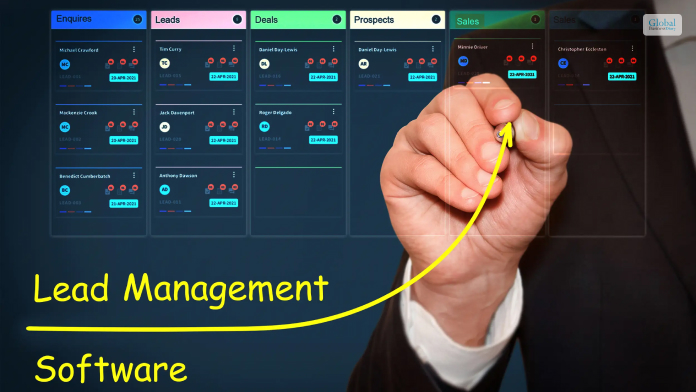
Maximizing Lead Conversion: Best Lead Management Software To Generate More Sales
Lead management comprises a variety of methods, processes, and practices, with the help of which businesses acquire new clients. This process is also called Customer Acquisition Management. There are many lead management software which are popular among both small and large businesses. These software systems come with tools that are created to fulfill the needs related to lead management processes. In this article, you will get a lead management software list, along with a description of the lead management software features. Furthermore, you will get some general details about each of these software systems. Hence, to learn more, read on through to the end of the article. What Is A Lead Management Software? Lead management is one of the most important processes of a business in today's day and age, especially if your business is based on the Internet. To manage leads, you will also need to get access to simple software-based tools that help you to maintain the client database and sales lead. According to an article on ActiveCampaign.com, “At its core, lead management software is a digital hub that consolidates and organizes all lead-related information. The software collects and stores valuable data about leads, including contact details, demographics, and interaction history.” Lead management software allows your business to find and get leads from different sources, including landing pages, website forms, social media platforms, and other platforms where marketing is possible. With such software, you will also be able to score leads and increase your prospects. Lead Management Software Vs CRM: What Is The Difference? While lead management software allows you to collect data, identify prospects, and close deals on sales, CRM software is helpful when you already have an existing customer base. In the latter system, you can consider the sales approach only if you have a database of customers. However, there are many new Lead management CRM software options available that allow you to do both jobs, including lead management and customer relationship management. According to SoftwareTestingHelp.com, “Certain software tools combine the services of lead management and CRM as the former leads to later, but CRM can never be a part of lead management. Lead Management vs. CRM is similar to Prospective Customers vs. Existing Customers.” Lead management software, as well as CRM software, provides you with a lot of benefits. It empowers you to find, capture, convert, and track leads in the best way possible. You can make your lead management processes much more effective with the help of such software systems and hence increase the chances of converting your leads into purchasing customers. The Best Free Lead Management Software In 2023 If you are looking for the best lead management software systems, you must consider a variety of factors before you make the purchase. These will help you to ensure that the software you are choosing is catering to the needs of your business. The first thing you must try to find in lead management software is flexibility and scalability. The software must be able to handle higher volumes of data. Furthermore, the software must be easy to use as well. Additionally, the software must come with all the latest features that are required from top lead management software and enable faster work processes. The following are the top lead management software options that you must look for in 2023: 1. Monday.com Whether you have a small business or a large business, this platform is a great option for you. One of the best features of this platform is pipeline management. Furthermore, it comes with great flexibility and security. Apart from that, the software supports integration, and you can customize it as per your needs. 2. ActiveCampaign This software comes with numerous exceptional features and top-grade capabilities. One of the major aspects of this software is its ability to automate. As per the claims of its official website, “With its intuitive interface and powerful automation tools, ActiveCampaign enables businesses to nurture and convert leads into paying customers.” 3. Salesforce Pardot Although a great option for medium-sized businesses, large businesses can use the software too. Pardot is a standalone application and comes with a variety of branching software systems. If you need a lot of email campaigns as well as a large database, you must choose Salesforce Pardot over anything. 4. Zoho CRM One of the most popular CRM systems also offers beneficial lead management options. Furthermore, this platform has a lot of other apps with other individual features, and all of them are already integrated with one another. Furthermore, SoftwareTestingHelp.com reviews – “The Company provides great customer support. The product is value for money and includes good features that suit various businesses.” 5. Less Annoying CRM If you want a simple and all-encompassing lead management and CRM software, then you must go for Less Annoying CRM. One of the best things about the software is that the pricing is straightforward, and the usage does not need a learning curve. Furthermore, setting up the software is also really easy. 6. LeadSquared Although a useful lead management and CRM software, LeadSquared is a platform that comes with different software services as well. This is a great option for startups and small businesses. The pricing is also not very high, which can be a relief for small businesses looking for growth. 7. Hatchbuck Hatchbuck is a CRM software that also offers you lead management options. The great thing about this software is that it is easy to use and does not require any learning curve. According to MotleyFool.com, “The solution offers an abundance of marketing and sales automation at a relatively low price, which makes Hatchbuck a great first system for small business marketing professionals and more novice marketing technology users.” Final Thoughts If you are looking for useful and long-term lead management software, you must choose from the options above. Hope this article was helpful to you in giving you a better idea of which software systems to purchase. Do you know of other great software for lead management? Share your views with us in the comments section below.
Jun 21, 2023
Zoho CRM – Best Features, Pricing, Pros, Cons, And Alternatives
Zoho CRM is a customer relationship management and lead management software that is popular among small businesses that are in their phase of growth. As clients and customer starts growing for a company, the Zoho CRM provides the extra features and quantity that the company needs. The free plan of Zoho also comes with numerous useful features. In this article, you will mainly learn about one of the popular CRM software systems, the Zoho CRM. Furthermore, we will discuss the plans available if you want to purchase the software. Furthermore, you will learn what are the major features that Zoho CRM has that your business can benefit from. Finally, we will discuss why this software system is a great option for your business, along with a few pros and cons regarding the same. Hence, to learn more about Zoho CRM, read on through to the end of the article. Zoho CRM – A General Overview Of The Platform A review article on Forbes.com puts it rightly – “Zoho CRM makes it easy for newcomers to get started with a CRM, especially if they’re not familiar with the software. The free plan includes just enough of the basic features to be helpful for an individual or an ultrasmall company. And the interface is intuitive and clean, which makes it even easier to learn to use.” This is one of the major factors that the Zoho CRM API is very popular among small businesses. Furthermore, the software system comes with a lot of features that are not only helpful for small businesses only, but for growing businesses as well. Zoho CRM Pricing In the following table, you will get the entire pricing and plans of the Zoho CRM: PlansMonthly PricingAnnual PricingZoho CRM FreeFreeFreeZoho CRM Standard$20 per user per month (annual billing)$14 per user per month (annual billing)Zoho CRM Professional$35 per user per month (annual billing)$23 per user per month (annual billing)Zoho CRM Enterprise$50 per user per month (annual billing)$40 per user per month (annual billing)Zoho CRM Ultimate$65 per user per month (annual billing)$52 per user per month (annual billing)Zoho CRM Plus$65 per user per month (annual billing)$52 per user per month (annual billing)Zoho One$105 per user per month (annual billing)$90 per user per month (annual billing) What Are The Major Zoho CRM Features? Once you do a Zoho CRM login, you will find the Zoho interface being very user-friendly. Once in the software, you will also come across a variety of customization features. You can also create personalized layouts, which you can save, clone, and share. With a many automation features, you can simplify your complicated tasks. Furthermore, Zoho also comes with an AI assistant. According to the official website of Zoho CRM Plus, “Zoho's AI assistant, Zia, guides your teams by predicting business trends, suggesting the best times to contact customers, identifying sentiments in emails and tickets, and providing intelligent business dashboards.” Another great feature of Zoho is that it can be integrated with all the different Zoho software systems. Furthermore, the Zoho CRM supports other systems too. Why Is Zoho CRM A Great Option For Your Business? Being one of the best software options for lead management, Zoho CRM helps in unifying your business and marketing processes. According to the official website of Zoho CRM, “Zoho CRM Plus unifies your sales, marketing, customer service, and every other customer-facing team on one platform so you can deliver exceptional customer experiences to every customer. Unify business data, customer engagements, ROI, and more—all while keeping your customer at the center of everything you do.” With this CRM, you will be able to provide your customers with the needed convenience of omnichannel engagement. With Zoho, you can engage with your customers at every level of the customer lifecycle. You can always have full access and full information about your customers through different channels, as you will get real-time notifications on the software system. Zoho CRM – The Major Pros And Cons The following are some of the essential pros and cons that you must be aware of before you make a purchase of Zoho CRM: Pros Of Zoho CRM Here are the major pros of Zoho CRM: Zoho CRM comes with a free plan but with limited features. The pricing plans are affordable and friendly for small businesses. All the pricing plans contain the automation feature. You can integrate the CRM with various other Zoho software systems as well as other software systems. The CRM is simple and easy to customize. There is a mobile app as well, which allows remote access. If you do not like the software, you will get the money back in 30 to 45 days. Cons Of Zoho CRM Here are the cons of Zoho CRM that will allow you to make a decision while purchasing: The AI features come only the top-tier plans. There are only a limited number of custom fields. There are no integrations available for free plans. Zoho CRM Alternatives We think that Zoho CRM can be an excellent choice for a small business. However, it is not the best option for large businesses. According to Forbes.com, “While Zoho CRM is an excellent entry-level CRM, it may not be the best choice for every business. You can find plenty of Zoho CRM alternatives that could fit your CRM strategy better.” The following are the six top alternatives of Zoho CRM that you will find easily: 1. ActiveCampaign 2. Monday.com 3. Less Annoying CRM 4. Salesforce Pardot 5. LeadSquared 6. Hatchbuck Summing Up If you are running a startup, then there cannot be any better CRM solutions available than Zoho CRM. Furthermore, you can surely choose the alternatives, as per your needs and likings. However, when it comes to a combination of features and pricing, Zoho CRM is the best option of all. What is your review of this software system? Share your reviews regarding Zoho CRM in the comments section below. Read Also: Is Startup Business Insurance Necessary For New Businesses? 5 Most Powerful Marketing Strategy That Will Change Your Business What Is Commercial Insurance? And Its Different Types – Let’s Discuss
Jul 06, 2023