





Pipeliner CRM Costs, Features, Applicability, And More 2023 – Let’s Discuss
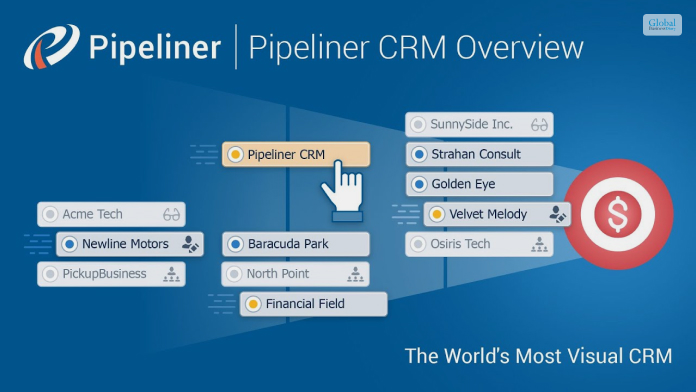
In the current business environment, your business needs a CRM, which can help you accomplish a lot of jobs like lead management, contact management, email, marketing, pipeline management, and providing reports and analytics on various aspects of your marketing processes. If you are hoping to work with a CRM and implement it in your business, then Pipeliner CRM can be a good option for you.
In this article, we will provide you with a brief overview of Pipeliner CRM. We will also show you why it is a great addition to your business and marketing processes. Apart from that, you will come across the major features of this software system. Finally, we will share the essential pros and cons of Pipeliner CRM. Hence, to learn more about the software, read on through to the end of the article.
Pipeliner CRM – A Brief Overview Of The Software Platform
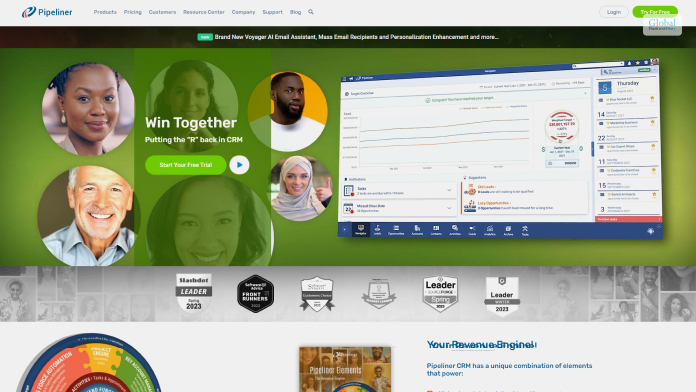
According to the official website of Pipeliner CRM,
“Pipeliner allows salespeople to take control of their opportunities, remain consistent through every stage of the sales process, and always stay focused on important priorities. It’s the CRM that salespeople actually enjoy using.”
However, we feel that as compared to popular CRMs like Less Annoying CRM, and others, Pipeliner CRM seems more visual and appealing at first look. You will also get a graphical overview of the various pipelines of your business organization. This will, in turn, help to provide your marketing and sales teams with an updated and detailed view of current activities, and that too, in a visual manner.
With the Pipeliner CRM revenue option, you can check the graphical representation of your revenue numbers as well. If you are better with graphs, charts, and visuals, as compared to data on tables, then Pipeliner CRM is probably the one you must go for.
Apart from that, the pricing plans associated with Pipeliner CRM are also great and are not complicated at all. As you pay more, the features and the tools that you get grow in number.
Read More: Hatchbuck – Pricing, Features, Pros And Cons, And More
Pipeliner CRM Pricing

The following table shows the plans and pricing of the Pipeliner CRM software platform:
| Plans | Pricing |
|---|---|
| Starter | $65 per user per month (yearly billing) |
| Business | $85 per user per month (yearly billing) |
| Enterprise | $115 per user per month (yearly billing) |
| Unlimited | $150 per user per month (yearly billing) |
On all these plans, there is a 30-day free trial available, which you can use, to find out whether you want to implement the app in your business processes or not.
Why Can Pipeliner CRM Be A Great Option For Your Small Business?

According to PCMag.com,
“Pipeliner CRM is designed for businesses of up to 200 users, so it plays in a different market than our Editors’ Choice for CRM Salesforce.com, which is best suited for larger organizations. It has a lot in common with our other CRM Editors’ Choice, Zoho CRM, as it offers some customizations and integration with third-party tools.”
Once you do a Pipeliner CRM login, you will be able to download a website application on your computer. The software platform is based on the cloud, where all the data is stored. However, you will have to access all the data using a local client. This helps you to have offline access, even when you do not have an internet connection with you.
Hence, if you are looking for a low-priced option with the capability to visually represent data to you and your team, then Pipeliner CRM is the one you must choose. However, there are some security issues, which you must check by yourself while you are in the trial period.
The Essential Pipeliner CRM Features You Need To Know

The official website of Pipeliner claims –
“Pipeliner was well aware that CRM was not assisting salespeople. As a result, they decided to approach CRM from the bottom up rather than the top down. To put it another way, Pipeliner designed an app that would empower salespeople while also making CRM completely worthwhile for them.”
The following are the major features of Pipeliner CRM:
- Contact management and lead management.
- Visual reporting of data and essential information.
- Integration to third-party apps and software platforms.
- Ability to connect multiple payment systems.
- Top-grade sales forecasting.
- Ability to track commissions with the help of an automation feature.
- Unlimited storage space for files due to connection with the cloud.
Pipeliner CRM – Major Pros And Cons Of The Software

The following are the major pros and cons of Pipeliner CRM that might help you to decide whether you will implement the software in your business processes or not:
Pros Of Pipeliner CRM
Here are the major pros of Pipeliner CRM:
- The platform lets you work offline. Apart from letting you save your data, this software also allows you to work in emergency situations.
- You will be able to integrate social media platforms with this software system too.
- The visuals and graphics of this software system are really appealing.
- The pricing is low and quite simple. There are not many complicacies with the pricing system.
- You get a thirty-day trial before you decide whether to make a purchase or not.
Cons Of Pipeliner CRM
Here are the major cons of Pipeliner CRM:
- There are issues and lags related to security.
- The custom reports available through the software are limited, and hence the software is not a great option for growing businesses.
- The Android app seems outdated and needs to be updated regularly.
- Lack of advanced features on the applications.
Read More: What Is LeadSquared? Features, Pricing, Pros, And Cons
Summing Up
One of the best things about Pipeliner CRM is that it has an attractive interface, which makes your customer relationship management processes more visual and appealing. Apart from that, the app is also priced quite reasonably, which can be helpful for small businesses or solopreneurs. However, there are some issues related to security, which can create problems for growing businesses.
Hope this article was helpful for you in getting a better idea of whether the Pipeliner CRM software system is applicable to your business processes or not. What do you think of this software system? Share your reviews with us in the comments section below.
Read Also:
Tags:

Recent
Memory Chips Are Becoming More Important in the AI Era
Aug 06, 2026

Why Enterprise Web Applications Still Choose Angular for Long-Term Growth
Aug 04, 2026

Due Diligence Decoded: Why Careful Evaluation Still Wins in Business
Jul 11, 2026

How Hydraulic System Design Impacts Equipment Performance
Jul 01, 2026

Related Articles
CRM software Monday: Features, Price, Pros & Cons of Monday Sales CRM
If your company is looking for the best lead generation tool, then you can try the CRM software Monday. The robust features for lead generation from different sources, nurturing them, and the highly customizable CRM tools by Monday are favored by different industry specialists. The dashboard has a perfect mix of different tools and columns users can utilize to categorize and manage leads under leads, qualified leads, and disqualified leads. The automation tech offered by Monday CRM also saves time. If you have a small business and you are thinking of using CRM software for better lead generation, nurturing, and conversion, then this is the tool you must use. But, before you use the CRM software Monday, here is a simple review you must go through. About CRM Software Monday It is time to say goodbye to the multiple makeshift tools you have been using for project management, lead management, and the like. Instead, say welcome to the Monday CRM software, a robust lead management tool that helps your sales team skyrocket and hit the bullseye on each of their sales goals. There is a core work management platform integrated into the software. Now, you can simply run and scale your sales team’s operations more smoothly. You do not need the help of any developer to customize the CRM software Monday. You can edit different deal stages, add the number of columns you need, and manage multiple sales pipelines at once. Monday CRM users can also communicate with their customers effectively. They also offer options to customize and personalize your emails for different clients. Read More: Dhani Loans & Services Limited – Background And Services Benefits Of Using CRM Software Monday Tailor your product and service promotion efficiently with the different lead tracking and managing tools of the Monday CRM. Here are some of the features of the CRM software Monday. These features will be beneficial for your sales team. Workforms For Better Lead Management The work forms of the CRM software Monday are one of the best features. This allows you to collect, organize and maintain your leads in one place. You can add information related to the lead scores, embed and prepare web forms, and get new customers. CRM Software Monday offers users a new business card-style overview of their deals and leads. This includes contact information, owners, stage, value, and more data to help understand what should be the next step. Craft Your Columns Create columns that you need for your sales and lead management process. The tool offers a full host of customizable columns and crafts for your dream project. You can designate owners for different columns, calculate different deals, and set your custom priorities for different leads and statuses. Dashboards The CRM software Monday allows users to create new and different dashboards to create a visualized overview of the team’s efforts on different projects. Yes, you can build a real-time dashboard with no prior coding experience. This should allow you to track the team’s performance and revenue growth at the same place. Use Automation Use sales automation to cut down on repetitive sales processes and save valuable time. With the help of automation, you can assign leads to your different team members and also set reminders, and more. Integrations What we love about the CRM software Monday is that it supports a whole bunch of integrations. You can integrate lots of tools and applications you already use for different social media platforms like Facebook and Twitter. You can also get other essential tools like Gmail, Hubspot, and more integrated into the Monday CRM tool. CRM Software Monday: Pros And Cons Here are some of the pros and cons of the Monday CRM software. Pros The Monday CRM is built for team efforts. You can use it with other team members, and the platform is suited for multiple users. All the users can have editing access to a list. Remote teams will have a good time working with the Monday CRM thanks to the messaging features integrated here for the team members to communicate. Users have a great tracking feature for different necessary metrics. The visual boards incorporated in the platform come with different color codes and elements, allowing users to grasp some information with a quick glance. The tool offers a great communication tool helping easily invite the guests and view the boards and the timelines. This goes for both internal and partners from outside the business. While doing so, the software also prevents any possible breach that could potentially leak valuable information. Cons The app does not have enough third-party integration, according to some of the users. Some users think there could be more options for third-party integration. Per-user pricing plan may limit the number of people who can use the platform. When adding more users and using the complete collaboration tools and permissions within the platform can cost users more. The time and expenses are difficult to track using the CRM software Monday. Some have difficulty measuring how much time each project takes on Monday. Also, there is no Gantt chart; there is also no additional option to add the Gantt chart. New users might find the dashboard too overwhelming, with too many features and tools unorganized and cluttered. CRM Software Monday Pricing The Monday CRM has four different pricing plans – basic, standard, pro, and enterprise – you can choose from. The basic plan starts with a per-person plan of $10 per month. The total package costs $30 per month and is billed annually. You can also opt for the $14 per month standard that costs $42 per month and is billed annually. The pro plan costs $24 per seat and costs $72 per month (billed annually). You need to contact their enterprise-level plan, but that will require you to contact their sales team. CRM Software Monday Alternatives Here are some alternativs to Monday CRM software. Small businesses looking for an alternative option can opt for these as well -- Salesforce Sales Cloud Salesforce Sales Cloud CRM is one of the best in class among CRM software. It is a great alternative to Monday CRM software. It includes features like - Reporting - joined reports, filters, and history tracking. Permission - unlimited permissions and user roles. Sandboxes - 100 developer sandboxes Territory Management - Large organizations with multiple sales departments can use Territory management. Sales automation - The sales cloud has sales automation. More so, there are more features like real-time analytics, integrations, and more. The different levels of pricing points include Starter (at $25/user/month), Professional ($75/user/month), Lightning Professional ($80 /user/month) HubSpot Sales Hub Hubspot is one of the industry leaders when it comes to inbound marketing. It includes all the features you would need in CRM software. Generate leads Track sales & leads Build customer relationships Automate marketing tasks Attract visitors This is one of the best Monday CRM alternatives and one of the best software for operations, content management, marketing, sales, and customer services. However, Hubspot might be a little tough on the budget for small businesses. The Starter pack costs $45 per month, while the Professional package costs $1600 per month. The Enterprise package takes it a bit further and costs $4999.99 per month. Zoho CRM Small businesses and enterprises looking for budget-friendly CRM software can opt for Zoho. It is doubtlessly one of the best alternatives when it comes to pricing. Besides, Zoho fulfills different CRM-related needs of a business seamlessly. Some of their features include - Sales forecasting Sales analytics Email tracking & automation Mass emailing & tracking Custom CRM integrations Custom CRM automation Zoho is popular around the world. What’s more, they have a free edition allowing small firms to use it with up to three users. Additionally, the Standard edition starts from a $14/user/month price point. The Professional edition costs $23/user/month. The Enterprise edition costs $480 per year. ClickUp Another great alternative to Monday CRM is ClicUp. This CRM software comes with a clear idea of collaboration. ClickUp is one of the common productivity platforms that allow teams to collaborate on projects that require multiple teams to crossover. It offers a free plan with limited levels of features. But the contact management on this CRM is unquestionably good. The paid version with unlimited features starts at $5/month/member. The Business package costs $19/month/user annually. Pipedrive Another good alternative to Monday CRM is Pipedrive. It is one of the best CRM solutions with a plethora of features like – Contact & account management Task & activity management Opportunity & pipeline management Product & price list management Quote & order management Territory & quota management Lead capture The average pricing for this CRM software is $14.90/user per month. Read More: StashFin Personal Loan Review – Interest Rates, Loan Amount, Eligibility, And More Bottom Line Sales teams that are trying to streamline their sales processes and reach their goals can use the CRM software Monday. However, you must take the pros, cons, use cases, and pricing plans into account before making your buying decisions. I hope that this article was helpful. However, if you want us to answer any of your queries related to this topic, please reach out through the comment section. Read Also: mPokket: Information, Eligibility Criteria, Interest Rates, Review & More FlexSalary: Information, Eligibility Criteria, Interest Rates, Review & More NIRA Instant Personal Loans: Are They Really Instant?
May 19, 2023

How Does The Procurement Process Work? Essential Things To Know About It
The procurement process has been an essential part of the business since its existence. The process of buying the products and services for running the business smoothly forms an essential part of the organization. You need to get the supplies at the lowest cost procurement while maintaining the bottom line in the business. The procurement team works in coordination with the other departments of the organization. To get the necessary pieces of equipment essential for day-to-day work. If you want to grow your business smoothly, you cannot ignore the importance of the procurement process. It forms an integral part of the business that can help your organization to grow. Seek the help of a strategy consultant if you face any difficulty in the process. What Is A Procurement Process? The procurement process refers to the series of steps an organization follows to acquire goods, services, resources from external sources. It involves everything from identifying the need for a product or service to the final payment. You need to be well aware of your organization's needs. How Does The Procurement Process Work? There are several ways the procurement process works in an organization. You need to be well aware of it while meeting your organizational goals with ease. Some of the key processes which you can employ are as follows:- 1. Identifying The Needs With Procurement Process Departments or individuals within an organization identify the goods or services required. This might involve assessing inventory levels, forecasting future needs, or responding to specific project requirements. Here the seller's concessions also form an important part. It can reduce your cost significantly. 2. Specification Development Clear specifications or requirements and draft the details of quality, quantity, timelines, and any other specific criteria. It will help you to keep accurate records of the products that you are purchasing from the market. Furthermore, it will guide you in times of crisis if you face any legal complications. 3. Supplier Identification Potential suppliers or vendors you need to identify through databases, market research, or by issuing requests for information (RFI). It is the third most important step in the procurement process that you cannot ignore from your end. Once you follow this step, things are going to be easier for you. 4. Request For Proposal Or Quotation A formal document is sent to potential suppliers outlining the requirements and soliciting their proposals or quotes. This document includes information about the organization, its specific needs, evaluation criteria, timelines, and terms and conditions. It is one of the vital steps in the procurement process that you cannot ignore from your end. Follow the correct process that can make things easier for you. 5. Proposal Evaluation Received proposals reviewed and evaluated based on various criteria such as cost, quality, delivery time, supplier reputation, and compliance. You need to be well aware of this step at the time of proposal evaluation of the procurement process. Even a single small aspect is not left out in this process. Try to know the complete process to have a better insight into it. Consider the capital expenditure in this regard seriously. 6. Negotiation With Procurement Process Discussions take place with selected suppliers to finalize terms, prices, delivery schedules, and other conditions. This stage aims to reach a mutually beneficial agreement. The process of negotiation in the procurement process aims to offer a win-win solution to both parties. Working with experienced procurement specialists, such as ProcureAbility, can help streamline negotiations and ensure the best possible terms for your organization. 7. Contract Creation With Procurement Process A formal contract is drafted detailing the agreed-upon terms, responsibilities, timelines, and any other pertinent information. Both parties review and sign the contract. The agreement signifies the fact that both parties agree on the terms and conditions of the procurement process. Once you follow the correct method, things are going to be easier for you in the long run. 8. Purchase Order After the contract is signed, a purchase order is issued to the chosen supplier. The PO specifies the details of the purchase, including quantities, prices, delivery dates, and any other relevant terms. The PO is proof that both parties agree with the terms of the contract and that they can proceed with the procurement process. You need to know the complete process to make the process feasible for your business. 9. Goods & Service Receipts Upon delivery, the organization receives the goods or services and checks them against the agreed specifications. Any discrepancies or issues are addressed with the supplier. Once you get the receipts of the goods and services, it will become easier for you to complete the process of procurement. Types Of Procurement Process There are several types of procurement processes that you must be well aware of. You must not make your choices in grey. However, when you follow the correct process, things will become easier for you at the time of procurement. Some of the key types of procurement process are as follows:- 1. Direct Procurement This involves the acquisition of goods or services directly used in the production of a company's offerings. For example, raw materials, machinery, or components for manufacturing. 2. Indirect Procurement Indirect procurement involves acquiring goods or services that are directly not involve in the production process but are essential for business operations. This might include office supplies, IT services, marketing services, etc. 3. Service Procurement This focuses specifically on acquiring various types of services rather than physical goods. It could involve hiring contractors or consultants or outsourcing specific tasks like cleaning, security, or legal services. 4. Strategic Procurement This approach involves a more long-term and strategic view of procurement. It considers factors beyond immediate cost savings, such as supplier relationships, risk management, innovation, and overall value creation. 5. Sustainable Procurement Also known as green procurement or responsible procurement, this type emphasizes the environmental, social, and ethical impacts of procurement decisions. Final Take Away Hence, if you want to develop the perfect procurement process in your organization, then you cannot ignore the facts mentioned. You should follow the right process in this matter. It will help you to make a perfect deal for your business. Share your experiences with us in our comment box. It will help us to know your feedback in this matter. Your feedback forms a valuable part of our content strategy. So, you must not ignore this fact from your end. Read More Business Related News By Clicking Below!! What Is A Distribution Channel? Essential Things To Know About It Supply Chain Risk Management: Effective Strategies To Reduce It Equity Theory: A Balancing Act for Modern Workplaces
Dec 20, 2023

What Are Articles Of Organization? – Let’s Find Out
If you want to establish your business as an LLC< you will need to file articles of organization with the Office of the Secretary of State in the state that you are located. These articles are just public documents that are necessary to create the LLC and register it in the state. They contain the basic information of your business, including name, address, etc. In this article, you will learn about what articles of organization are and how they work for businesses. Apart from that, you will also learn how to file articles of organization in the state you are in and what information to add to the documents. Finally, we will explain to you what you need to do after filing the articles of organization of your LLC. What Are Articles Of Organization? According to Investopedia, “Articles of organization are part of a formal legal document used to establish a limited liability company (LLC) at the state level. The materials are also used to create the rights, powers, duties, liabilities, and other obligations between each member of an LLC and also between the LLC and its members. The state also requires businesses to pay a fee when they file articles of organization.” However, the constituent of articles of organization can change based on the state you are operating your business in. But, in most cases, you will need to fill out a form. The name of the form might change. For example, in the state of Texas, the document to form an LLC is called a “Certificate of Formation.” Read More: What Are Articles Of Incorporation? – Importance, Working, And More Articles Of Organization - How Do They Work? According to the Forbes Advisor, “LLCs also enjoy tax flexibility that’s not available to other types of businesses. However, an LLC does not legally exist until you file articles of organization and have them approved by the state. The articles provide a public record of the LLC’s existence, its name, and its contact information. They also provide information about where to send lawsuits and legal notices involving the company.” After the business files articles of organization in the state, the state government checks whether the business that wants to become an LLC is actually meeting the legal requirements. In some industries, like child care and food service, the legal requirements and regulations are heavier. Filing Articles Of Organization - What Information To Add? Regarding the documents, an article on Shopify.com adds - “Without articles of organization, your limited liability company doesn’t legally exist. The document helps to create a public record of your business information and existence, including the business name, your name and contact information, and other information about where to send lawsuits and legal notices.” Here are the essential pieces of information to add to the articles of organization: Name and address of the LLC. The LLC’s nature of business. Name and address of the registered agent of the LLC. This person is only authorized to receive legal documents on behalf of the LLC. The names of the members of the LLC, like managers, directors, stakeholders, etc. In general, the Office of the Secretary of State checks and reviews the articles of organization of the business that wants to establish itself as an LLC in the state. Basically, these articles of organization act as a charter for the business. How To File Articles Of Organization? The following are the steps you need to follow to file articles of organization: Step 1: Visit the Secretary of the State’s website. There, you will get the online form (or PDF), along with instructions on how to file the form. Step 2: You must gather all your information and documents related to the filing of the form. Take the help of tools if you are merging more than two pdfs. However, you can also take the help of an attorney who will tell you exactly how to do it. Step 3: You will need to answer various general questions based on the state where you are located. Make sure that you are fully prepared before answering. Step 4: Submit the form (online or through mail). What Do Do After Filing Articles Of Organization? After you file articles of organization with the Office of the Secretary of State, you will still be able to remain active in the business creation process. The following are the steps you can take after your file articles of organization: 1. Get Your EIN Getting the EIN for your company is the most important thing since the number is required while filing taxes to the IRS. You will have to retrieve this nine-digit number from the IRS itself. The number is also required at the time of opening a business bank account and getting a business license. 2. Make An Operating Agreement Having an operating agreement for your business is not always compulsory. However, many experts recommend an operating agreement since it ensures that your business is running in an efficient manner. Basically, an operating agreement contains most of the important information, including the responsibilities of the members of the business, titles of the members, succession plans, contribution requirements, and many more. 3. Business Bank Account It is important to have a separate bank account for your business, as you will need to ensure that your personal finances and your business finances do not get mixed up. This prudent move will make your reporting and budgeting much easier. Apart from that, this action will allow you to track easily and make expense reporting and filing taxes easier. 4. Business License Once you get your business license, it will ensure that you are compliant with all the laws of the state in which your business is located. Hence, make sure you apply for a license with your state. Read More: How To Deal With Facebook Marketplace Scams? Steps To Follow Wrapping Up Hope this article was helpful for you in getting a better idea of what articles of organization are and how they work. Basically, to register your business with the state as an LLC, you will need to gather the necessary documents and file them with the Office of the Secretary of State. The documents consist of the business name, the type of business, the members, and the purpose of the business. Articles of organization are also used to create the bylaws of the company. Do you have any more suggestions to add regarding how to file articles of organization? Share your answers with us in the comments section below. Read Also: Marketing Campaigns: How To Do It? - Steps To Follow Market Orientation - What is It, And How Does It Work? Market Cannibalization - Definition, How Does It Work, Example, And More
Sep 29, 2023

Why Enterprise Web Applications Still Choose Angular for Long-Term Growth
Enterprise software rarely gets the luxury of starting over. A customer portal, claims platform, procurement system, or internal operations dashboard may remain active for a decade, while teams, regulations, integrations, and user expectations keep changing around it. Angular still holds ground because it offers a structured way to build large web applications without forcing every new team to reinvent the application’s basic rules. Let’s discuss more in the rest of this article. Structure Matters After the Launch Buzz Fades Early development can make almost any framework look fast. The real test arrives later, when several teams touch the same codebase, release schedules overlap, and one small change affects authentication, reporting, and billing. At that point, companies often hire AngularJS developers to support legacy AngularJS estates or bring in Angular specialists for carefully planned modernization. Done well, that expertise protects continuity while moving the application toward a cleaner, supported architecture. Angular’s opinionated structure becomes useful in this mess. Components, services, dependency injection, routing, forms, and testing conventions already have recognized places. Consequently, developers spend less time debating folder patterns or selecting a new library for every requirement. That may sound restrictive during a prototype. However, across a five-year product roadmap, shared conventions usually become operational relief. Enterprise applications outlive individual architects, vendors, and product owners. Therefore, maintainability depends on whether the next team can understand the system without having to decode years of personal preferences. Angular does not remove poor engineering decisions, obviously. But it narrows the number of ways teams can make shared decisions, making a sprawling codebase less mysterious. A Framework for Coordinated Teams Large applications are rarely built by one compact product squad. More often, separate teams own identity, payments, analytics, customer service, and shared design systems. Angular supports that arrangement because its architecture encourages clear boundaries and reusable modules. Meanwhile, TypeScript gives teams explicit interfaces and stronger tooling. This helps developers catch mismatched assumptions before they show up in a production workflow. It affects planning: when application boundaries are clear, teams can estimate changes with greater confidence, test specific areas, and release features without treating the whole platform as a single “fragile block”. In other words, architecture becomes a management asset. It is valuable when multiple departments depend on the same application every day. Long-Term Calls For More Than Stable Code Enterprise leaders sometimes treat framework selection as a feature comparison. But the hard question is: “Can the organization operate the application year after year?” Angular offers a broad, integrated toolkit and a defined upgrade path. As a result, teams are less dependent on a loose collection of third-party packages where compatibility standards move in different directions. Of course, upgrades are all about effort. Skipping several releases can turn routine maintenance into a painful project, and customized legacy code increases that burden. Nevertheless, Angular’s update tooling, migration guidance, and predictable release practices give teams a visible route forward. The sensible approach is steady maintenance. A durable Angular program usually rests on practical habits that connect technical maintenance with business continuity. Treat Upgrades As Scheduled Product Work Teams should assign ownership, test dependencies, remove deprecated patterns, and budget for incremental updates. Otherwise, technical debt quietly becomes a business constraint. Build Shared Standards A design system, code conventions, and reusable services can reduce duplication across teams. However, excessive governance slows delivery; standards should solve recurring problems rather than create paperwork. Measure Application Health Continuously Bundle size, rendering behavior, test reliability, accessibility, security findings, and release failures reveal whether the platform remains sustainable. Separate Legacy Support From Modernization AngularJS and modern Angular are different technologies. Enterprises should stabilize essential legacy workflows while planning migration around business domains, risk, and user impact. Performance Is an Architectural Responsibility Angular can support responsive, high-traffic interfaces. But the framework cannot compensate for careless application design. Large bundles, unnecessary change detection, inefficient data calls, and heavy shared modules can slow the experience. Therefore, performance needs attention at the component, route, network, and build levels. Lazy loading, server-side rendering where appropriate, disciplined state management, and realistic performance budgets are all important. Enterprise buyers sometimes expect the framework choice to guarantee scale: it does not. Scale comes from architecture, infrastructure, observability, testing, and operational habits working together. Angular provides solid mechanisms for that work, yet teams must use them deliberately. Security and Governance Fit Enterprise Reality Angular includes protections and patterns that support safer rendering, controlled routing, form handling, and structured HTTP communication. Even so, no framework makes an application secure by default. Authentication design, authorization checks, dependency review, secure APIs, content security policies, and careful handling of user input remain part of the job. Governance is where Angular often feels at home. Enterprises need accessibility reviews, audit trails, testing gates, coding standards, and release approvals. Angular projects tend to follow recognizable patterns; organizations can embed those requirements in shared libraries, schematics, pipelines, and reusable components. Angular Is Not the Automatic Choice A small campaign site, a short-lived experiment, or a lightweight interface may not need Angular’s breadth. React, Vue, server-rendered approaches, or simpler tools can offer a better fit. Moreover, choosing Angular without experienced architecture leadership can produce ceremony without discipline. The stronger case appears when an application has many workflows, a long operating horizon, several development teams, strict governance, and frequent change. In that setting, Angular’s consistency can outweigh its learning curve. Furthermore, the initial setup cost becomes less important as reusable patterns accumulate and onboarding improves. The decision is about reducing variation where variation creates risk. Why Angular Keeps Earning a Place in Enterprise Roadmaps Angular remains relevant because enterprise growth is usually an endurance problem. Applications must absorb new services, new teams, policy changes, acquisitions, and rising user expectations. They must do these without collapsing under their own history. Accordingly, Angular’s strongest advantage is not one feature. It is the combination of structure, tooling, upgrade direction, and team-level consistency. Still, long-term growth depends on execution. Enterprises need active maintenance, realistic modernization plans, performance controls, security ownership, and architectural boundaries that reflect the business. When those practices are in place, Angular offers a dependable foundation for applications expected to keep changing with the organization. Read Also: What Is QuickBase? A Low-Code Database Platform For Citizen Developers Closing the Gaps: How B2B Enterprises Can Stop Revenue Leakage
Aug 04, 2026